
GaN Chargers: 6 Recommended Options | How to Choose Compact, High-Power Models
GaN Chargers: 6 Recommended Options | How to Choose Compact, High-Power Models
GaN chargers come in many varieties, but the real decision points boil down to three: 'Is 30W enough?', 'Do I need 65W?', and 'How many devices do I want to charge simultaneously?' This guide breaks down the 30W, 45W, 65W, and 100W options, then compares six models from Anker, SwitchBot, and j5create across maximum output, port configuration, size, and safety.
GaN chargers come in many varieties, but the real decision points boil down to three: "Is 30W enough?", "Do I need 65W?", and "How many devices do I want to charge simultaneously?" This guide breaks down the 30W, 45W, 65W, and 100W options, then compares six models from Anker, SwitchBot, and j5create across maximum output, port configuration, size, and safety from a practical standpoint.
If you primarily charge smartphones, carry a MacBook Air, or want to charge both a laptop and phone simultaneously at a café, this guide is worth reading. GaN is a technology that enables miniaturization, but where real differences emerge is in PD and PPS support, plus power distribution across multiple connections. Miss this, and you'll hit the "I bought 65W but it's slower than expected" problem. In your everyday bag, 100-130g doesn't feel like extra weight, and if you're thinking about simultaneous charging for MacBook Air and phone, skipping selection by raw wattage alone is the shortcut to the right choice.
What Is a GaN Charger? Why Is It Compact Yet High-Power?
GaN chargers are easy to notice because "even at the same 45W or 65W output, they're clearly much smaller than chargers from years past." The reason lies in using GaN (gallium nitride) semiconductors internally to convert power. Compared to traditional silicon designs, GaN enables higher efficiency and lower loss, making it easier to reduce heat and pack components into smaller spaces. For example, the Anker Nano II 45W is roughly 35×38×41mm and 68g, while the 65W Anker Nano II 65W clocks in at about 44×42×36mm and 112g. Looking at those numbers, you're getting notebook PC charging in a size that feels almost like a smartphone charger.
However, here's where a common misconception emerges: "GaN means faster charging." In reality, what truly determines charging speed isn't GaN itself, but rather which power delivery standard it supports and what output level it's designed for. GaN is the foundation that makes miniaturization and efficiency gains possible, not the speed engine. Whether you can charge a smartphone, MacBook Air, or tablet quickly depends on USB PD support and power implementation. The real strength of GaN chargers is making 65W and 100W feasible at smaller sizes, but the speed itself comes from standards compliance and power design.
At the heart of these standards sits USB PD. This is a USB-C-based power delivery spec used widely from smartphones to notebooks. According to USB-IF guidance, it extends up to 240W maximum. That's a big number, but the concept is straightforward: it means handling combinations like 48V×5A with high output. For everyday GaN charger selection, what matters isn't the 240W ceiling itself, but how your devices can accept 30W, 45W, 65W, or 100W.
Another often-overlooked element is PPS. This is an extension of USB PD 3.0 that lets you fine-tune voltage across a 3.3V-21V range in 20mV increments. By adjusting to what your device actually needs rather than pushing a fixed voltage, it minimizes conversion loss and heat. This becomes particularly noticeable on Android phones—with PPS support you get "fast charging with minimal heat rise," while without it you might see "charging is quick but the back gets quite hot." In spec sheets, this is an easy-to-miss but important difference.
In practice, speed isn't determined by the charger alone. If the charger supports 65W but your cable can't safely deliver that power, you won't reach the limit. If your phone or laptop only accepts 45W, plugging into a 65W charger tops out at 45W equivalent. MacBook Air and similar USB PD devices are generally easy to match, but the same USB-C port can have different actual power requirements across different machines. Align these elements correctly, and then "compact yet fast" becomes reality.
Multi-port GaN chargers work the same way. Even if labeled "65W 3-port," those three ports can't each deliver 65W simultaneously. Products like j5create's JUP3365 65W 3-port are clearer—they specify 45W+18W at 2-port usage and 45W+18W at 3-port usage. Such products are easier to predict; imagining laptop and phone charging together becomes straightforward. Focusing on "maximum single-port" and "multi-connection distribution" rather than total wattage cuts down on speed surprises.
To understand GaN's benefits directly, MOTTERU's GaN (Gallium Nitride) Basic Explainer is approachable. For grasping USB PD version differences, 240W expansion, and PPS positioning, Granite River Labs' USB PD 3.0/3.1 and PPS Specifications is useful. For intuition about how PPS improves actual charging experience, Phile-web's What is PPS? makes it click.
From my experience, PPS-capable Android phones show gentler temperature rises even at high output levels. Non-PPS chargers often heat the back surface quickly, creating an "it's really working hard" feel, while PPS-compatible combos keep temperatures milder and charging more stable without wild speed swings. It's easy to overlook in spec sheets, but daily use shows that "heat behavior differences" significantly affect feel.
Even 65W GaN chargers benefit noticeably. For instance, Anker Nano II 65W at about 112g has some presence in a front pocket, but becomes quite manageable in a bag or jacket inner pocket. Plus, 65W provides easy breathing room for scenarios like powering both a laptop and phone for three hours at a café—suddenly you don't need to carry your bulky PC power adapter. That shift alone cuts mobility burden substantially.
USB PD concepts form the foundation of smart GaN charger selection. GaN is simply the material that enables compactness; understanding PD makes what speed you can deliver to each device instantly clear. Knowing the boundary between "30W-sufficient devices" and "65W+ essential devices," plus spotting which phones benefit from PPS, becomes essential for reading GaN charger specs correctly.
Choosing a GaN Charger Without Regrets
Align Output (W) With Your Device's Input Limit
The first thing to check when selecting a GaN charger isn't the charger's maximum output, but rather how many watts your device can actually accept. If these don't match, picking a 65W or 100W product barely makes a real difference. Breaking it down numerically: phones accept 20-30W, tablets and mobile notebooks accept 30-65W, and power-hungry notebooks want 65W or more. For notebook-centered use, 65W covers many scenarios, but 100W class feels more comfortable with headroom.
I find it easier to think of this as "match the charger to your most power-hungry device" rather than "pick a charger wattage number." Smartphone-centric users can get by with ~30W, but if you daily-carry a MacBook Air-class notebook, 65W beats 45W for peace of mind. That difference becomes pure breathing room when you open a laptop at a café and also plug in your phone.
Apple recommends that USB-C charging-capable Macs use power adapters rated at or above the included adapter's wattage. For MacBook Air and notebooks generally, "can charge" differs from "can charge while actively working." Looking beyond spec sheet max wattage into actual usage clarifies the 30W/45W/65W/100W split considerably.
Understand Port Count and Power Distribution Rules
What really shapes daily usability is port count and power distribution during simultaneous charging, not peak wattage. This is arguably the single most important point for GaN charger selection. A 65W 3-port charger can't deliver 65W to all three ports simultaneously. Usually, the notebook USB-C port gets around 45W, with the rest split to phones and other gear.
Take j5create's JUP3365 65W 3-port as an example: single-port gives 65W, but 2-port use drops to 45W+18W, and 3-port use also becomes 45W+18W—clearly specified. These products are predictable; imagining laptop-and-phone simultaneous charging is straightforward. Conversely, products highlighting only total 65W wattage with fuzzy distribution specs often disappoint in practice with "PC side slower than expected."
Whether to go full USB-C or keep USB-A also gets decided here. USB-C is clearly dominant now, but USB-A still matters for earbuds, older accessories, and mobile battery included cables. For travel, I've found 2C1A at 65W incredibly versatile. Rotate between PC and phone during the day, then plug in tablet and earbuds at night without extra clutter.
PPS/PD Support and Compatibility
When picking a GaN charger, USB PD and PPS support matters more than being GaN itself. USB PD is the USB-C power standard used everywhere from phones to notebooks. PPS, an extension of PD 3.0, lets you fine-tune voltage and current, reducing heat and conversion loss.
This difference shows most on Android devices (especially some Galaxy phones), where PPS presence or absence noticeably affects heat and charging stability.
For notebooks and tablets in one charger, check whether the USB-C port handles PD properly and whether your phone supports PPS. These two points largely prevent disappointment. GaN is miniaturization groundwork; charging experience is ruled by standards compliance.
PSE/Safety Design and Portability
For chargers used in Japan, PSE compliance is the baseline. Beyond that, consider design choices for overcurrent, overheat protection, and heat dissipation. GaN chargers pack high output into tiny cases—size alone can seduce, but portable models especially deserve safety-conscious design review.
Portability comes down to weight and port balance, not just compactness. Anker Nano II 65W at ~112g is quite compact for notebook class; around 100-130g feels nearly burden-free in daily commute bags and easily replaces notebook power bricks. Conversely, stationary use might favor larger 3-port or 100W versions for comfort.
💡 Tip
To decide quickly, check in this order: 1. Device maximum input watts 2. How many devices you'll charge together 3. Do you need USB-A? 4. Portable or stationary? 5. PSE, PPS, cable compliance
Cable Standards and Real-World Speed
Fully realizing charger performance depends on picking cables that support that power delivery. Undersized cable specs throttle even top-tier charger output.
Whether a charger unleashes its full potential hinges on cable wattage rating. Miss this, and your charger might shine while actual speed lags. USB-C cables look similar but vary widely; power specs come in 60W, 100W, and 240W tiers. High-output scenarios need both components matched.
USB PD extends to 240W per USB-IF, where cable conditions become crucial. For 100W+ plans, assume e-marker compliant cables as baseline. High-power notebooks with 100W chargers often see cables, not chargers, become the bottleneck.
Details appear in our related guide "USB-C Cable Selection Complete Guide," which explains cable specs and practical selection.
6 Recommended GaN Chargers
Splitting by use case makes GaN chargers much easier to pick. Smartphone-focused means prioritizing light weight; MacBook Air included means single-port 65W; laptop-and-phone simultaneous means 3-port 65W; bulkier PC on one device means 100W class. Here are six standout models: the popular ones and those with transparent power distribution.
Anker Nano II 45W
Maximum output is 45W, single USB-C port. Size: approximately 35×38×41mm, weight: approximately 68g. Among these six, it's the clear portability champion. Dipping below 70g means charger presence nearly vanishes in a bag—truly "always-carry-ready" light.
From my experience, dropping below ~70g substantially reduces carry-friction; feel-good portability becomes instantly tangible.
Suited to phones, tablets, and lightweight notebooks. Especially comfortable with iPhone, Android phones, and iPad-centric users; great for travel without extra bulk. Works for thin notebooks too, but expects "occasional support" rather than "dedicated power source."
Not suited to multiple simultaneous charges or power-intensive notebook workflows. Single port means no laptop-plus-phone pairing. Notebook-primary users can feel shortchanged depending on tasks.
Simultaneous charging note: Can't do it—it's single-port, which is refreshingly simple actually. You don't puzzle over distribution; that simplicity is a strength.
Pros: Remarkably small and light for 45W. Pocket-sized feel means daily carry burden is genuinely minimal. Cons: Fixed purpose limits it. Better for phone-centric people who occasionally plug in tablets or light PCs than those needing one device for everything.
Reference pricing unavailable in current data.
Anker Nano II 65W
Maximum output is 65W, single USB-C port. Size: approximately 44×42×36mm, weight: approximately 112g. Slightly larger than 45W but still compact for 65W. Barely over 100g, so daily bags absorb it easily—a natural MacBook Air pure-play charger size.
Suited to MacBook Air-class notebook as center, with solid phone and tablet solo charging. 65W lets you work a laptop at a café while charging a phone during breaks—plenty of output comfort. Single port appeals to those wanting guaranteed per-device speed.
Not suited to PC-plus-phone simultaneous from one charger. Single port blocks it.
Simultaneous charge note: Single port, no simultaneous, but that's the selling point—no distribution worries, all power goes to what's plugged in.
Pros: Single-port 65W achieves excellent balance. Works for notebooks while remaining reasonable for pockets, inner coat pockets. Cons: Designed for confident per-device charging, not unified one-charger-does-all. Pairing with phone and bag works fine—front pocket gets tight.
Reference pricing unavailable in current data.
Anker 735 Charger
Alternatively, daily pocket carry favors compact+light; business travel favors multi-port convenience, which often outweighs modest weight.
Maximum output is 65W, 3-port configuration. Size: approximately 66×38×29mm, weight: approximately 132g. Heavier than Nano II 65W, readily portable but edging toward "business trip" rather than "always-carry" feel. Daily pocket carry varies by person; bags or desk pockets feel realistic.
Suited to notebook+phone+peripherals on one charger. Imagine: notebook at café, phone charging simultaneously, spare port for earbuds or power bank. Three ports hugely improve outlet freedom.
Not suited to single-port max-efficiency demand or ultra-light seekers. Single-port use favors Nano II 65W compactness.
Simultaneous charge consideration: 3-port means distribution shifts with load. Multiple connections don't let notebook sustain single-port wattage. Great for notebook-plus-phone; adding a third thins PC side headroom.
Pros: 65W with simultaneous-charging ease. USB-C-primary users get good mileage. Cons: Without distribution transparency, 65W label oversells comfort. Excels at smart multi-device rotation versus all-at-once max speed.
Reference pricing unavailable in current data.
Anker 736 Charger
Maximum output is 100W, 3-port configuration. Specific size and weight unavailable currently, but positioned as next tier above 65W 3-port.
Suited to high-power notebooks central, plus phone and tablet consolidated. 100W relieves output tightness that 65W sometimes shows. Especially for notebook-primary-plus-phone crowds, output peace of mind registers strongly.
Not suited to phone-centric ultra-light targets. Overkill means heavy baggage outweighs benefit. 45W or 65W singles feel easier.
Simultaneous consideration: 3-port means 100W splits, losing single-port maximum across ports, but 65W-equivalent 3-ports get easier multi-device breathing room. Bottlenecking feels less tight.
Pros: High-power notebook plus multi-device scales better. 65W three-ports occasionally strain; this feels like comfy next step. Cons: Higher price and size tier, per spec data currently unavailable.
SwitchBot 65W GaN Charger
Maximum output is 65W, 3-port design. Specific sizing uncertain currently, but marketed as ~48% more compact and PSE compliant. Statedly mobile-conscious 65W 3-port.
Suited to carry-first 3-port crowd. Want three ports but find Anker 735 Charger's 130g+ slight strain? SwitchBot targets that gap. SwitchBot product ecosystem fans enjoy brand matching.
Not suited to three-port full 65W maintenance during multi-connection. Typical 3-port distribution applies.
Simultaneous note: Standard 3-port distribution—multiple connections share power, PC side doesn't keep 65W.
Pros: Portable 3-port 65W direction. PSE clarity adds confidence. Cons: Distribution transparency needed. Multi-device choreography required; not all-at-once speed.
Reference pricing unavailable in current data.
j5create JUP3365 65W 3-Port
Maximum output is 65W, 3-port configuration. Specific dimensions unavailable currently. Standout feature: distribution clearly marked. 2-port means 45W+18W; 3-port also 45W+18W—super transparent.
Suited to notebook-plus-phone simultaneous stability seekers. 65W 3-ports often obscure distribution; this one clarifies: PC gets ~45W, phone ~18W. Real-world expectation matches reality. Light notebook-plus-phone combos especially fit.
Not suited to all-three-ports demanding equal highpower. PC side caps at ~45W intent.
Simultaneous note: Beautifully explicit: notebook around 45W, another port 18W, whether 2 or 3 ports live. Simplicity is huge.
Pros: Distribution clarity prevents disappointment. Seeing what's possible upfront beats guessing from unmarked specs. Cons: Three ports don't equal three max-power outputs. Notebook plus one companion fits naturally; adding a third creates "helper port" reality.
Reference pricing unavailable currently.
💡 Tip
Around 100g feels genuinely comfortable daily; beyond 130g suits desk/travel more. Portability wins under ~100g; convenience scales at 130g.
Recommended 6-Product Comparison Table
Seeing them side-by-side, differences organize clearly. GaN chargers pivot on single-port peak watts and multi-connected sustained power. Same 65W read entirely differently: "single reliable" versus "smart three-port spreader."
| Model | Max Output | Ports (USB-C/USB-A) | USB-A Included | PPS Support | Folding Plug | Dimensions/Weight | Simultaneous Output Estimate | Intended Use |
|---|---|---|---|---|---|---|---|---|
| Anker Nano II 45W | 45W | 1/0 | No | Verify | Verify | ~35×38×41mm / ~68g (official) | 45W (single) | Smartphone, tablet, light notebook, minimum bulk |
| Anker Nano II 65W | 65W | 1/0 | No | Verify | Verify | ~44×42×36mm / ~112g (official) | 65W (single) | Mobile notebook primary user |
| Anker 735 Charger (GaNPrime 65W) | 65W | 2/1 | Yes | Verify | Verify | ~66×38×29mm / ~132g (official) | Distributed 65W | Notebook, phone, accessories consolidated |
| SwitchBot 65W GaN Charger | 65W | 3 (verify details) | Verify | Verify | Verify | Dimensions/weight verify (see product page) | Distributed 65W | Carry-first three-port user |
| j5create JUP3365 65W 3-Port | 65W | 3 (verify details) | Verify | Verify | Verify | Dimensions/weight verify | 2-port 45W+18W, 3-port 45W+18W (per manufacturer) | Notebook-plus-phone simultaneous clarity seeker |
| Anker 736 Charger (Nano II 100W) | 100W | 3 (verify details) | Verify | Verify | Verify | Dimensions/weight verify | Distributed 100W | High-power notebook plus multi-device |
ℹ️ Note
Items marked "verify" should be confirmed on each maker's official spec page (PPS, folding plug, specifics vary by model/region).
Reading Comparison Indicators
First glance should lock onto maximum output and port combination. Anker Nano II 65W's single port concentrates 65W into one device—notebook-friendly clarity. Anker 735 Charger's three ports spread convenience, but simultaneous connection splits output.
Key distinction: peak single-port versus real simultaneous experience. GaNPrime approach (per Anker GaNPrime explanation) deliberately distributes across multiple ports. Similar labels mask different execution; notebook-plus-phone pairing feel shifts significantly.
USB-A presence matters too. USB-C-exclusive setups skip it; but wireless earbuds or older cables still pull USB-A, making Anker 735 Charger's mixed-port design still practical. Travel exposes "reuse existing cables" value sharply.
PPS presence ranks higher if phone rapid charge matters. As noted, PPS controls voltage finely, easing Android phone speed and heat. Notebook-primary buyers lower priority; daily phone chargers care more.
Folding plug slides portability. Single-port 45W/65W models benefit enormously—case packing becomes vastly easier. Bags stay neater. Daily carry wins measurably.
Size and weight want imagination, not just numbers. ~68g Anker Nano II 45W—you forget it's there. ~112g Anker Nano II 65W—still daily-portable. ~132g Anker 735 Charger—convenience beats pocket carry; bag-resident feels real.
💡 Tip
Notebook-under-load power: 45W sustains, but doesn't accelerate battery gain—more "slowing drain" feel. Want real charge buildup? 65W creates "powering back up" sensation. Headroom? 100W class.
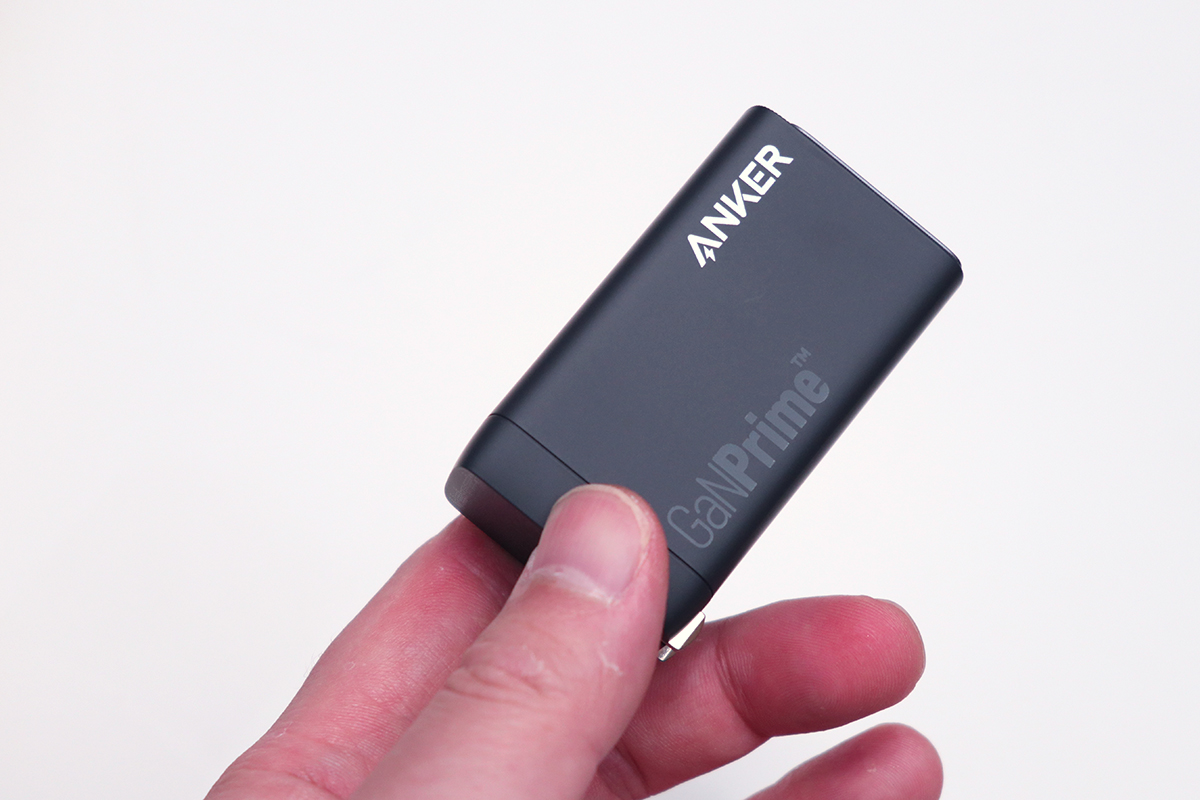
Anker Advances GaN Technology, Achieving Miniaturization and Multi-Device Charging With "GaNPrime" Series
Anker announced GaNPrime, an evolution of GaN technology enabling miniaturization plus simultaneous multi-device charging as flagship tech. Six charger products utilizing it were unveiled.
pc.watch.impress.co.jpBest Picks by Simultaneous Charging Scenario
Phone-centric minimalist: Anker Nano II 45W is clearest choice. Single port—zero confusion. Tablet/light notebook possible but design assumes per-device dedication. Lightweight days leverage it best.
MacBook Air-class notebook anchor: Anker Nano II 65W stays easiest. Apple recommends matching or exceeding bundled adapter watts. 65W leaves room for café-work-plus-phone scenarios; 45W tightens. Peace-of-mind shifts outward.
Notebook+phone+accessories unified: Anker 735 Charger (GaNPrime 65W) wins. USB-A survival helps cable management. Size/weight sensible for bag housing. Desk-roaming realism clicks.
Carry-first 3-port 65W: SwitchBot 65W GaN Charger enters contention. Compactness emphasis plus official 3-port hit a middle ground—Anker 735's convenience, less bag weight. SwitchBot ecosystem fans enjoy brand alignment.
Distribution clarity seeker: j5create JUP3365 65W 3-Port shines brightest. 2-port yields 45W+18W; 3-port also 45W+18W—specs match reality. Notebook-plus-phone choreography imagined cleanly. Newcomers especially benefit.
High-power notebook+multi-device: Anker 736 Charger (Nano II 100W) dominates. 65W 3-port sometimes strains under notebook-plus-phone. 100W 3-port relieves that pinch. Notebook primary, phone secondary works without shortfall.
30W, 45W, 65W, 100W: How Do You Choose? Use-Case Benchmarks
Smartphone-Focused
Phone-primary charging runs on 30W baseline—ample for iPhones, Androids, wireless earbuds, smartwatches. Light travel, convenience use, "just-phone speed-charging matters" both suit it. Output padding doesn't constrain portability.
Key insight: your device accepts only what it needs—higher wattage chargers don't force excess. 65W/100W chargers handle phones safely; device side controls intake. No risk, just optional capacity.
Phone-solo travel favors 30W featherweight; daily commute leans portable. 100W daily for phones alone? Convenience trails weight burden. Choose: all-purpose backup or phone-dedicated travel buddy. Single-device splits clarify this way.
MacBook Air Class
MacBook Air-level portables run 45-65W baseline. Apple documents USB-C Macs recommend power-supply wattage matching or exceeding included adapters. 45W charges, yes; 65W lets work-and-charge happen—battery climbing back up, not just holding. Café hours reflect this ease.
, MacBook Air stays quite comfortable on 65W single-port. Browser, documents, meetings—daily mixes don't drain faster than 65W backs them. Café sessions feel confident. At home, certainty peaks.
45W choice trades peace for pack lightness—work-light travel days or secondary charger scenarios still hold appeal. MacBook Air M4 experience details? See "MacBook Air M4 Review: Thinness and Performance's New Peak."
14-Inch MacBook Pro Class
14-inch MacBook Pro scope suggests 100W baseline. 45W/65W don't totally fail, but work-hour charging lags—machine priority weakens. Sustained notebook-first operation grows uncomfortably narrow.
100W merit isn't speed alone but simultaneous comfort—notebook side holds strong output; phone/tablet run parallel easily without guilt. I call this emotional headroom. 65W suffices minimally; 100W says "open everything—no compromise." That mental ease multiplies satisfaction.
Desk-stationed, 100W proves "one device finishes all"; mobile-café-light means 65W cuts muster at size sacrifice. Output choice rides desired breathing room, not capability ceiling.
Multi-Device Simultaneous
Notebook plus phone, earbuds, tablet consolidated means 65W+ three-port baseline. Single-port kills convenience immediately. Business travel, home desk thrive on unified supply.
Example: j5create JUP3365 65W 3-port—2-port hits 45W+18W; 3-port also 45W+18W. Laptop-plus-phone simultaneous images itself plainly.
Scenarios clarify: café demands 65W 3-port consolidation; travel/home scale 100W-plus; desk downgrades wattage for simultaneous comfort. Smartphone-and-tablet bundling? Mobile battery strategy integration matters—related article usage sharpens planning.
Safety and Compatibility Verification
PSE/Standards/Protection Circuits
Foundation safety check: PSE compliance. Required in Japan for wall-plug devices; chargers used always demand this baseline. Home-wired long-duration use benefits most—regulatory assurance eases mind.
Deeper safety signals come from IEC 62368-1 compliance notes. TÜV SÜD's IEC 62368-1 explainer clarifies safety framework spanning audio, video, ICT equipment. PSE—Japan domestic; IEC 62368-1—international safety design. Reading both beats single-data scanning.
Circuit-level: overcurrent, overvoltage, overheat, short protection form basics. High-output density needs these as baseline. Spec sheets may look identical; detailed protection writing signals thoughtful makers. Stationary daily-use chargers? Wattage matters less; transparent protection docs signal peace of mind vastly better. Home/office constant-on scenarios reward safety-first reading over peak-W chasing.
Cable and Device Compatibility
Charger brilliance vanishes if cable and intake can't handle output. Overlooked: USB-C port ≠ USB-C charging. Check: device specs list "USB PD input compatible"—not just port shape. Apple MacBook Air: PD-ready. Some Windows machines: USB-C for display/data only, proprietary charging. Matching failure causes iconic "65W bought but won't charge" mistakes.
Cable rating hits limits too. USB PD cable requirement comes first; 100W+ demand stricter specs. USB-IF cites up to 240W; high-wattage runs mean cable ability shouldn't be guessed. 100W+ needs E-marker plus 100W/240W rating—not interchangeable.
This failure zone rarely involves chargers; cable mismatches dominate. USB-C looks same; performance spread is vast. Notebook buyers often accidentally grab phone-class cable ratings. Cable selection guide ("USB-C Cable Selection Complete Guide") offloads this read for organized clarity.
💡 Tip
USB-C notebook port ≠ USB-C charging port. Correct spec read: "USB PD input compatible" not port outline. 100W+ additionally demands E-marker and 100W/240W cable tier—not all meet both.
Stationary Operation Safety
Desk-permanent use demands fresh angles versus carry patterns. GaN chargers shrink form; thermal buildup around wall sockets and simultaneous multi-port heat show up more keenly. Café-hours chargers pass unnoticed; home desktop units heat up and stay heated.
So stationary use spotlights plug position, zero-heat-clogging, dust resistance, unglamorous details that affect daily experience. 3-port notebook+phone+peripheral simultaneous runs hotter than single-port. Stable multi-device wattage delivery AND heat dispersal
Related Articles
Anker Prime 27650mAh 250W Review: Testing the 140W Output and 665g Weight
Anker Prime 27650mAh 250W Review: Testing the 140W Output and 665g Weight
Can the Anker Prime Power Bank (27650mAh, 250W) actually charge a laptop on the go? We break down the 140W output, 99.54Wh capacity, ~665g weight, and 24,990 yen (~$167 USD) price tag with real-world data to help you decide.
Anker Nano Power Bank 30W Review | Testing the Built-In Cable in Real Life
Anker Nano Power Bank 30W Review | Testing the Built-In Cable in Real Life
A hands-on review of the Anker Nano Power Bank (30W, Built-In USB-C Cable). We break down whether the 10,000mAh capacity, 30W output, built-in USB-C cable, and 215g weight actually hold up in daily use — with comparisons against the Anker Power Bank 30W, Zolo, and the 45W retractable-cable model.
Anker Nano Power Bank 30W Review: Built-In Cable Meets 10,000mAh
Anker Nano Power Bank 30W Review: Built-In Cable Meets 10,000mAh
A practical review of the Anker Nano Power Bank (30W, Built-In USB-C Cable). We cover real-world performance across 10,000mAh capacity, ~215g weight, the built-in USB-C cable experience, 30W charging, no pass-through support, and how it stacks up against the competition — so you can decide if it's right for you.
How to Choose a USB-C Cable: Charging, Data Transfer, and Video Output Explained
How to Choose a USB-C Cable: Charging, Data Transfer, and Video Output Explained
USB-C cables all look the same, but what's inside is a completely different story. You can charge a laptop fine but photo transfers crawl, or you plug into a monitor and get nothing — most of these headaches disappear once you realize that higher wattage does NOT mean faster data transfer.