
Smartphone Recommendations | Choose by Use and Budget【2026】
Smartphone Recommendations | Choose by Use and Budget【2026】
Smartphone selection is easy to get confused when starting from model names, but in reality, organizing by use → budget → OS integration makes everything clear at once. This guide breaks down what you can and can't do across three price bands—under ¥40,000 ($270 USD), ¥40,000-80,000 ($270-$540 USD), and ¥80,000+ ($540+ USD)—for those who don't want to fail on their next upgrade, and connects it all to choosing between iPhone and Android.
Smartphone selection is easy to get confused when starting from model names, but in reality, use → budget → OS integration makes everything clear at once. This guide breaks down what you can and can't do across three price bands—under ¥40,000 ($270 USD), ¥40,000–80,000 ($270–$540 USD), and ¥80,000+ ($540+ USD)—for those who don't want to fail on their next upgrade, and connects it all to choosing between iPhone and Android.
For example, on a commuter train, a 120Hz display device scrolls smoothly through SNS with minimal ghosting, and the smoothness of operation can affect daily satisfaction. On the other hand, devices exceeding 200g can feel heavy when held in one hand for extended periods, affecting portability. A 5,000mAh-class battery directly translates to peace of mind for a full day out, and Pixel 8's onward 7-year update policy makes long-term planning easier.
Smartphone selection becomes harder to mess up when you think use → budget → OS
The reason this order works is simple: the same price often brings very different strengths. For example, even in the ¥40,000–80,000 band, some models like the Google Pixel 8a excel at camera processing and AI features, while others like the Xperia 10 VI emphasize everyday ease of use with its light 164g weight and 5,000mAh battery. When you start by asking "iPhone or Android?" first, you end up pulled toward branding and looks rather than the performance you actually need.
The decision flow is easiest to organize in three steps:
- Narrow down your primary use case to one
- Set your budget ceiling
- Choose the OS based on integration and budget
Narrowing the primary use to around "camera," "gaming," "everyday use," "work," or "for a child" is practical. Going greedy and aiming for everything tends to just drive up the price. From my observation, when someone prioritizes travel photos but picks a slow-processing device, the preview struggles to display after burst shooting, and the next opportunity is easily missed. Camera satisfaction comes down to not just megapixels, but also processing speed after capture.
The items to prioritize by use case are as follows:
| Use Case | Items to Prioritize | Notes |
|---|---|---|
| Camera | Sensor / OIS / processing power | Differences appear especially in low light, zoom, and post-save speed |
| Gaming | SoC / memory / refresh rate | Heavy 3D games; SoC differences are felt directly in performance |
| Battery focus | Capacity × optimization / charge speed | 5,000mAh class varies by optimization |
| Work | Security / MDM / Dual SIM | Manageability and line separation become important |
| Kids' device | Monitoring / durability / waterproof / FeliCa | Durability and daily features matter equally |
The overall judgment framework connects with the thinking covered in our site's "Smartphone Selection Guide | Non-Regret Decision Axes" and "Smartphone Selection | Complete Guide for Beginners" (reference: /smartphone/smartphone-how-to-choose-for-beginners).
Checklist for deciding on your primary use case first
Here, instead of "a device that somehow does everything," we decide on the use case you most don't want to fail at. For example, if prioritizing photos, then OIS for nighttime and indoor blur reduction, post-processing speed, and zoom ease come first. For gaming, SoC and memory, plus high refresh rates for display smoothness come first. For work, the comfort of the device itself matters less than MDM for corporate management, eSIM and Dual SIM ease of operation.
If you're uncertain, answering the next questions helps separate use cases:
- Which brings dissatisfaction most easily: "photos," "slow operation," "battery drain," "work management," or "peace of mind giving to kids"?
- Which app do you use longest in a day: camera, SNS, video, games, or work apps?
- Of weight, display smoothness, and battery life, which one would you prioritize alone?
- How often do you use domestic payments like Mobile Suica?
- Is device management or line switching needed due to company provision or dual-role use?
Here are concrete examples. If aiming for a band where everyday use rarely fails, Google Pixel 8a at ¥72,600 from Google Store is a very clear candidate. Camera processing, everyday snappiness, and long-term-use balance are easy to achieve. If prioritizing lightness and battery life, Xperia 10 VI at ¥51,800 from price comparison sites becomes visible. At around 164g, it doesn't tire the hand in prolonged one-handed use, and the 5,000mAh battery easily handles commute round-trip, daytime messaging, and lunch-hour video viewing.
At time of writing, reference retail prices reported across multiple media show iPhone 16 at approximately ¥124,800 and iPhone 16 Pro at approximately ¥159,800. Actual selling prices vary by capacity, distribution channel, and campaigns, so check Apple's sales pages and each retailer for the latest prices before final purchase.
💡 Tip
When deciding your primary use, using "what causes strong stress when slow" as the standard rather than "what you use often" speeds up narrowing choices.
Rough price band definitions
In Japan's market, smartphone price bands organize easily as entry = ¥20,000–40,000, mid-range = ¥40,000–80,000, high-end = ¥80,000+. Overseas sometimes uses $700+ as a premium benchmark, but Japan has strong candidates under ¥40,000, and ¥40,000–80,000 is the easiest band to balance. Budget smartphone features are established enough that there are options at the lowest price point.
The character of each price band simply breaks down like this:
| Price Band | Range | Good for | Often struggles with |
|---|---|---|---|
| Entry | ¥20,000–40,000 | Calls, LINE, SNS, video, kids | Heavy games, post-burst processing, heavy multitasking |
| Mid-range | ¥40,000–80,000 | Everyday use overall, photos, light-to-medium games | Top-tier telephoto, high-load game headroom |
| High-end | ¥80,000+ | Heavy-load games, telephoto, video, AI features | Price burden |
The entry band's appeal is affordability, but failure is most likely when you overlook where performance shortfalls appear. SNS and video alone feel satisfying, but camera save processing and app switching waits breed frustration. For kids' devices, secondary phones, or phone-centric use, it performs well.
The mid-range band suits the widest range of people. In 'Android Smartphone Comparison Rankings' and 2026's Latest Smartphone Recommendations, this band often qualifies as "satisfying for everyday use," which makes sense. Pixel 8a's ¥72,600 is typical of this zone—photos, SNS, video, and everyday app comfort are easy to cover. Xperia 10 VI can also appear in the low 50,000s depending on where you buy, so it's also a strong mid-range candidate if you prioritize lightness or battery.
The high-end band brings higher satisfaction the clearer your use case is. A device like iPhone 16 Pro isn't just "an expensive phone"—it's for those aiming one level higher in telephoto, processing, display, and capture experience. In my view, this band's value comes from "waiting times and compromises decrease" more than "things you can do increase."
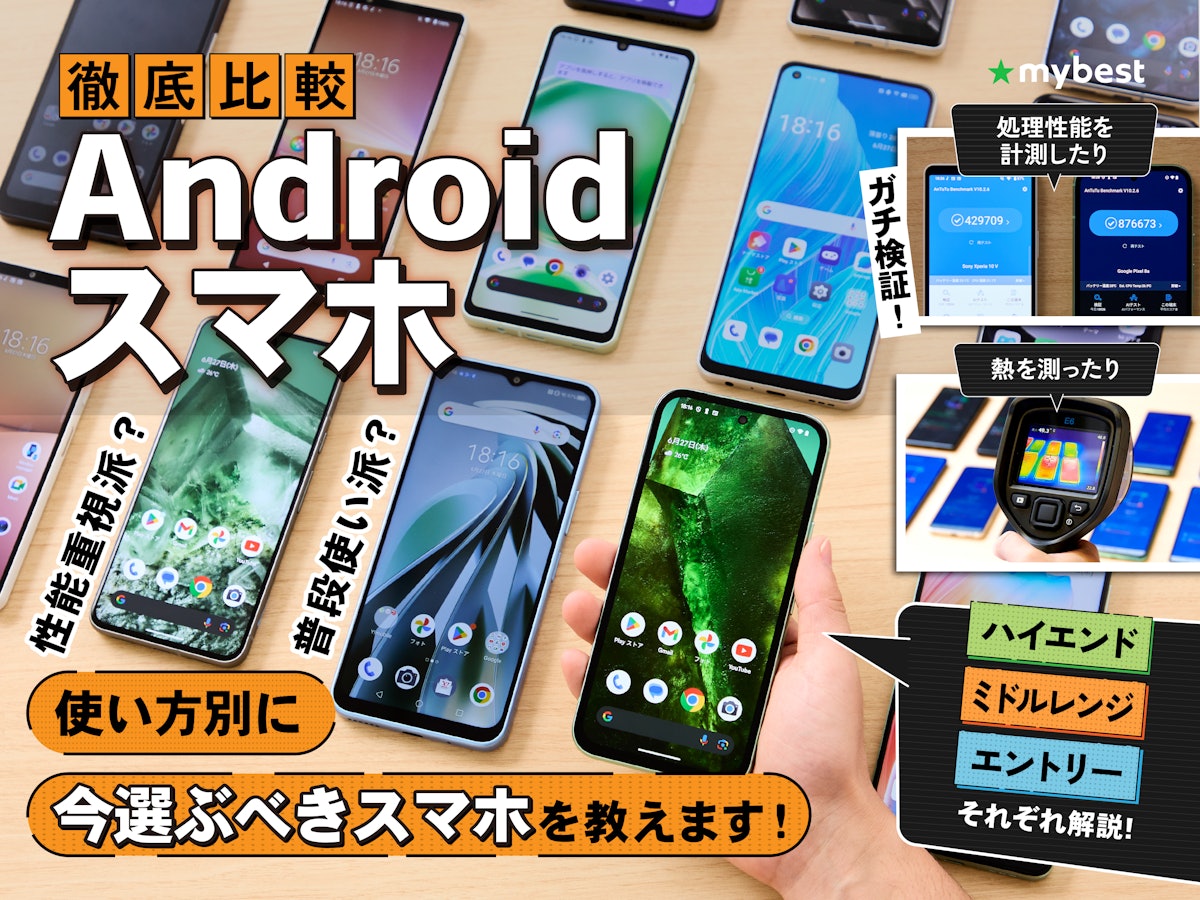
【Thorough Comparison】Android Smartphone Recommended Ranking【What's the Best-Reviewed Latest Model? March 2026】
From domestic brands like Xperia, AQUOS, and arrows to overseas brands like Galaxy, Pixel, Xiaomi, and OPPO, Android smartphones come in many varieties. Prices differ by model, and options range from the cheapest entry models to premium devices
my-best.comJargon mini-glossary
Let me organize the terms that appeared above, limited to what's necessary for selection. Understanding spec sheet meanings alone makes narrowing choices much easier.
OIS is optical image stabilization. It physically moves the lens or sensor to suppress shake, making nighttime, indoor, and zoom failures less likely. If prioritizing camera, it's worth checking before megapixel count.
SoC is a smartphone's brain. It's the central component bundling CPU, GPU, image processing, and communications, affecting not just speed but gaming performance, photo processing comfort, and battery efficiency. Skip the SoC for gaming, and benefits from a 120Hz screen become hard to realize.
MDM is corporate device management. It distributes apps, applies settings in bulk, and controls devices if lost—very important for work phones. iPhone-side uses Apple Business Manager, Android-side Android Enterprise for management ease.
FeliCa is the mechanism used in Japan's contactless payments. It's important for transit IC and e-money, making quiet impacts on everyday satisfaction. Xperia 10 VI explicitly supports FeliCa, showing Japan-specific ease of use.
IP68 is a waterproof/dustproof rating. The 6 indicates dustproof, 8 waterproof. While it affects device confidence, for selection purposes, "resistance to rain and water areas at the upper rating" is enough to know. Priority rises for kids' and outdoor use.
These terms seem numerous, but selection isn't actually that complex. Remember only the terms tied to your use case. Camera → OIS, gaming → SoC, work → MDM, daily payments → FeliCa. With this much organized, OS choice becomes far more concrete than "leaning toward iPhone" or "leaning toward Android."
How to Choose Recommended Smartphones by Budget
Under ¥40,000 (Entry): Comfortable uses and struggles
Under ¥40,000 is practical enough if centered on SNS, calls, messaging, and video. Japan has enough options in this band that features are dedicated to it, and even budget smartphone roundups show selection not just for secondary or family phones but as primary devices. The key is not expecting "does everything."
Differences become noticeable in cross-app usage. For example, viewing Google Maps while playing music, then replying to messages mid-trip: entry-band devices often pause on app returning. Single-app use—SNS viewing, YouTube watching, calling, texting—stays dissatisfaction-free, but switching between multiple apps reveals the "reason for the low price." Heavy 3D games and post-burst image processing are tough for this band.
From a longevity perspective, short-term is feasible, but three+ years requires caution. Update richness is less guaranteed at lower tiers, and performance margin is tight. That said, the selection axis is clear: I find prioritizing lightness and battery life raises satisfaction easier in this band. Battery is 5,000mAh-class as a benchmark, but identical capacity performs differently via screen drive and power-save controls—raw capacity doesn't determine superiority.
¥40,000–80,000 (Mid-range): Satisfaction points and selection
¥40,000–80,000 is the least-regret price band. Balance across everyday comfort, camera, display, battery, and processing power is strong, making budget and satisfaction easy to reconcile. In terms of daily stress reduction, this band most straightforwardly yields "glad I bought it."
Take the Google Pixel 8a at ¥72,600 on Google Store—it epitomizes this band's thinking. Photo processing and AI ease are strong; SNS, video, maps, payments, and camera stay snappy together. The "pause on app switch" feeling common in under-¥40,000 devices gets much lighter. Switching between Google Maps, music, messaging, and camera in motion happens naturally.
Another clear case is Xperia 10 VI at ¥51,800+ on price comparison sites. Its light 164g weight is immediately felt, staying easy even in prolonged one-handed use. The 5,000mAh battery easily covers commute round-trip, midday chat, and lunch video without strain. For non-camera-first use, this lightness, battery, ease-of-daily-handling direction suits many people well.
Discounted prior-gen top models enter play more easily here. Torn between current mid-range or an older flagship at the same price? I find thinking "camera and processing first = prior flagship; battery, lightness, clear warranty = current mid-range" clarifies things. Long-term viability also lets mid-range stay satisfying for years thanks to performance headroom.
¥80,000+ (High-end): Value and cautions
¥80,000+ is the price band for those with uncompromising use cases. Camera, gaming, AI, and video all aim high simultaneously, pushing comfort ceiling up a notch. Value here shows as "not waiting," "not failing," and "stable output"—quality differences rather than new capabilities.
As of writing, multiple media report iPhone 16 at approximately ¥124,800 and iPhone 16 Pro at approximately ¥159,800 as reference retail prices. This is reference only—exact selling prices are on Apple's official pages and retailers. Please confirm there.
High sticker price carries real burden, but including long-term ease and resale value sometimes makes total cost better than expected. iPhone already resells well, and Pixel 8 onward's long-update policy suits long-term assumption. In other words, high-end suits those wanting years of use without satisfaction drops as much as yearly replacers.
However, it's not necessary for everyone. If LINE, web, video, and payment dominate, high-end strengths often go unused. Value scales best for those using telephoto or video, playing heavy games, or running work and personal use cleanly on one device. Foldables enter this band too, but trade off price for new experience more sharply.
Price band "can do" quick reference
Differences by band organize better via what works, what's hard, and when dissatisfaction emerges than staring at spec sheets. Numbers make spending decisions quite clear.
| Price Band | Range | Comfortable | Difficult | Long-term viable |
|---|---|---|---|---|
| ¥20,000–40,000 | Entry | Calls, LINE, SNS, video, light photos | Heavy 3D games, heavy multitasking, post-burst waits | Shorter; doable if use narrows |
| ¥40,000–80,000 | Mid | Everyday overall, photos, maps, payments, light-to-mid games | Top telephoto, max-setting heavy games | Relatively long |
| ¥80,000+ | High | Heavy-load games, telephoto, nightscape, video, AI | Price burden dominance | Long-term friendly |
What matters in this table: as price climbs, "can do" expands and "waiting time shrinks." Entry bands feel cramped with app-switching if daily variety runs high. Mid-range loosens that squeeze significantly. High-end shoots and games with less compromise. Budget-based selection isn't performance racing but identifying where daily stress reduction matters most.
Quick reference table for recommended smartphones by use case
Working backward from use narrows candidates sharply. Grabbing "what works for that use" from a quick reference before detailed spec reading prevents confusion.
| Use Case | Suited machine type | Key specs | Concrete examples |
|---|---|---|---|
| Camera focus | High-end with telephoto; mid-upper with strong processing | Large sensor, OIS, ultra-wide and tele quality, processing | iPhone 16 Pro / Google Pixel 8a |
| Gaming focus | High-end with top SoC; high-performance heat-managed | SoC, memory, 120Hz+ display, heat control | iPhone 16 Pro / iPhone 16 |
| Battery focus | Power-leaning mid-range; 5,000mAh practical machines | Battery capacity, display power efficiency, optimization | Xperia 10 VI / AQUOS wish5 |
| Beginner-friendly | Unified-operation machines; lightweight easy-handle | UI clarity, support, weight, everyday stability | iPhone 16 / Xperia 10 VI |
| Business use | Long-support machines; corporate-manageable iPhone/Android | Update years, MDM, eSIM, Dual SIM operation | Google Pixel 8a / iPhone 16 |
| Kids' device | Easy-monitor practical; durability and waterproof priority | Filtering, waterproof, durability, FeliCa | Xperia 10 VI / AQUOS wish5 |
Camera focus: What to look at?
Camera-focused selection easily fails if judging by megapixels alone. What actually works is sensor size, OIS, lens makeup, post-capture processing. OIS optically suppresses shade and zoom blur, making nighttime, indoor child photos places where differences show.
iPhone 16 Pro uses 48MP main, 48MP ultra-wide, and 12MP optical 5× telephoto—clean composition easy to understand, great for "shoot wide" and "get close" in one device like travel or sports day. Telephoto need here notably lets you feel the mid-range gap. Processing-wait post-shot is brief, letting you pivot scenes easily.
Google Pixel 8a at ¥72,600 on Google Store is a mid-range machine with processing smarts for satisfaction. No telephoto, but people, dishes, daily snaps work well. Those wanting "fewer bad shots" over "long-distance zoom" suit this direction better.
Camera use organizes like this:
| Subject | Suited type | Key elements | Examples |
|---|---|---|---|
| Nightscape, indoors, kids | OIS machines; strong processing | OIS, big sensor, processing | iPhone 16 Pro / Google Pixel 8a |
| Travel, events, sports | Multi-lens high-end with telephoto | Optical zoom, ultra-wide, save speed | iPhone 16 Pro |
| Daily SNS photos | Mid-upper camera-strong | Auto correction, color, startup speed | Google Pixel 8a |
Gaming focus: SoC/memory/refresh rate/heat
Gaming starts with SoC. The SoC bundles CPU, GPU, image processing, and comms—the core, hugely swaying feeling in heavy 3D. Add memory margin, 120Hz+ display, and heat-managing design, comfort climbs sharply.
iPhone 16 Pro packs A18 Pro and up-to-120Hz display, built for long heavy-game sessions. Lunch-break heavy titles like Genshin at high settings shows performance gaps clearly. Heat matters especially—hot days or charging during play, sustained frame rates without dips matter more than raw specs. 120Hz machines show smooth view-panning and UI snappy to sight.
iPhone 16 also brings A18, handling everyday-to-mid-heavy titles broadly. Pushing max settings long-term? Pro wins. But gaming-heavy users not needing absolute top still get solid candidacy.
Gaming priorities organize as:
| Priority | Reason | Suited type | Examples |
|---|---|---|---|
| SoC | Frame-rate stability | High-end | iPhone 16 Pro / iPhone 16 |
| Memory | App-switch and long-play headroom | Mid-upper+ | iPhone 16 Pro |
| High refresh | View-pan, scroll, feel smooth | 120Hz machines | iPhone 16 Pro |
| Heat | High-temp performance drop prevention | Top machines, gaming-bent | iPhone 16 Pro |
Genshin Impact
genshin.hoyoverse.comBattery focus: capacity × optimization × display/power management
Battery life isn't set by capacity alone. Capacity, SoC power efficiency, screen drain, background control together determine it. Same large capacity performs quite differently by efficiency.
Xperia 10 VI packs 5,000mAh paired with lightweight-leaning build and power-conscious tuning, easing daily confidence. This-class 5,000mAh machines easily clear commute round-trip, chat, maps, lunch video—battery residue rarely worried. Lightness added makes "holds charge and stays portable" the appeal.
AQUOS wish5 also carries 5,000mAh, with some media reporting test values like "video ~23 hours / music ~138 hours" (source: phone-cierge). Test conditions vary hugely though—real use differs. Take as guidance.
Supporting candidate, Google Pixel 8a gets sticky on video-play. Continuous video math lands 17–18 hours ballpark, everyday-plenty. But nav constantly on plus heavy photo multitasking? Big-capacity machines like Xperia 10 VI inspire more security.
| Priority | Focus spec | Suited type | Examples |
|---|---|---|---|
| Top priority | Battery capacity | 5,000mAh mid-range | Xperia 10 VI / AQUOS wish5 |
| High | Optimization | Power-efficiency strong models | Xperia 10 VI / Google Pixel 8a |
| High | Display power savings | Long display stays trim-draining | Xperia 10 VI |
| Medium | Charge speed over drain slowness | Everyday-use practical machines | AQUOS wish5 |
March 2026 Latest
Long Battery Smartphone Ranking! iPhone & Android
phone-cierge.comBeginner-friendly: Clarity / Support / Weight
Beginner selection values not getting lost over raw performance. Home screen clarity, setting findability, support approachability, and held-weight directly tie to satisfaction. High-spec but heavy or complex settings create daily micro-frustrations.
iPhone 16 runs unified operation, accessory compatibility's obvious, making inquiry-ready for family iPhone users. Price is pricey for Apple, but "not getting lost" itself carries value for those seeking clarity. Family iPhone user abundance also lets you ask easier.
Xperia 10 VI charms with Android lightness. About 164g, long one-handed use doesn't tire as easily. Smartphone newbies especially feel weight difference more than spec gap. Heavy devices tire during map-walking or train one-hand operations; light ones ease that load.
| Worry spot | Priority element | Suited type | Examples |
|---|---|---|---|
| Operation's complex | UI unity, setting visibility | iPhone | iPhone 16 |
| Too heavy to hold | Lightweight design | Lightweight Android | Xperia 10 VI |
| Want no long-term worry | Support, operation stability | Long-use-friendly standards | iPhone 16 / Google Pixel 8a |
Business use: Update years / MDM / Dual SIM / eSIM
Work use prioritizes operational ease over camera specs. Can it stay safe long-term? Does device management simplify? Can lines separate? Update years, MDM readiness, and eSIM operation become axes.
Google Pixel 8a, following Pixel 8's shift, has clear long-update promise and Android Enterprise friendliness. Long business-app runs benefit from visible update continuity. Google Store's ¥72,600 sits in adoption-friendly territory.
iPhone 16 shines with Apple Business Manager + MDM pairing—enterprise setup simplicity and app distribution ease make it standard. eSIM adds line-switch flexibility and work/personal separation ease.
| Work value | See reason | Suited type | Examples |
|---|---|---|---|
| Update years | Long-term operation security | Long-support machines | Google Pixel 8a |
| MDM | Distribution, setup, management bundling | Enterprise standards | iPhone 16 / Google Pixel 8a |
| eSIM | Line switch and split easy | Work/personal separation want | iPhone 16 |
| Dual SIM operation | One-device two-line clean handling | Dual-role phone need | iPhone 16 / Google Pixel 8a |
Kids' device: Monitoring / Filtering / Durability / Waterproof-FeliCa
Kids' device easily regrets if chasing only cheap. Needed is monitoring and filtering ease, tough enough to withstand rough use. Waterproof and FeliCa widen use scope.
Xperia 10 VI carries IPX5/IPX8 waterproof, IP6X dustproof, plus FeliCa support. Everyday-use-leaning build means school-use or contact-device zero strain. Price.com's ¥51,800+ sits realistic. Light build means small hands don't strain.
AQUOS wish5 shows 5,000mAh battery endurance; contact-centric and video-viewing use ease on-charge worry. Kids' use favors "won't break" and "charges less" over max SoC or telephoto zoom.
FeliCa links transport IC and e-money—school-ride or store-buy scope widens hugely; kids' priority rises.
💡 Tip
Kids' devices matter less on "performance-slashed cheap" and more on "contact, monitoring, waterproof, payment run smoothly." Operating snappy matters less than charge lasting till night and dad-and-mom peace-of-mind easy.
| Kids' want | Why | Suited type | Examples |
|---|---|---|---|
| Monitoring, filtering | Behavior manage easy | Practical mid, AQUOS type | Xperia 10 VI / AQUOS wish5 |
| Waterproof, dustproof | School, outdoor use assurance | Waterproof machines | Xperia 10 VI |
| FeliCa | School-ride, store-buy easy | Japan practical machines | Xperia 10 VI |
| Battery life | Charge-forget resist | 5,000mAh class | AQUOS wish5 / Xperia 10 VI |
iPhone or Android: Which to pick?
iPhone: who it suits and doesn't
iPhone's first draw is operation unity. Switching to new models, the baseline thinking stays firm; settings and apps behave familiarly, making learning easier for the non-tech. Families with many iPhone users share tips faster and troubleshoot quicker.
Another big point: Apple device integration. From my experience, iPad, Apple Watch, MacBook home users benefit hugely iPhone-centering. Photo and file passing, notification sync, work handoff stay smooth. AirDrop and Handoff features deliver "daily small improvements"—spiel table value beats.
Further, iPhone resells and long-uses strongly. Sticker prices seem high—Apple pricing puts iPhone 16 at ¥124,800, iPhone 16 Pro at ¥159,800+—but resale strength makes total-cost math shift. Staying-device-years users plus down-trade folks find value stays decent.
Weaknesses exist. Price stays high; selection narrows. Unlike Android's "battery focus," "lightness focus," "zoom focus," "¥50k enough" flexibility, iPhone's brand excellence trades bespoke optimization freedom.
iPhone especially suits those strongly valuing Apple ecosystem, using devices long-term, and not wanting selection paralysis. Those squeezing performance into tight budget or finely-optimizing for use sometimes find constraints.
Android: who it suits and doesn't
Android's core strength: selection breadth. Price spans entry's ¥20–40k, mid's ¥40–80k, high's ¥80k+, making realistic candidate creation to-budget super easy. Google Pixel 8a at ¥72,600 balances daily and camera nicely; Xperia 10 VI at ¥51,800+ prioritizes lightness and feel.
Further, use-specific picking. Want big battery? Pick it. Want light? Go there. Prefer gaming performance? Exists. Foldable buzz? Android has it. iPhone completion-app approach versus Android's "find-your-fit-tool" feeling differ fundamentally.
Freedom also surfaces in use. Two numbers, work/personal split? Physical + eSIM stacking for dual-SIM smooths the workflow. Business-personal one-device run gets Android's flexible pairing-thinking advantage. Home screen and standard app philosophy bends more.
Android's weakness: selection abundance becomes confusion. Many candidates, variable camera outcomes, update stance shifts by maker and series—not "Android spreads uniformity." Same machine class holds huge gaps; real reading required versus "Android done" shortcut.
Android suits budget-priority folk, feature-first pickers, and clear demands (light/battery/camera/twoSIM stack) seekers. Those exhausted by options or wanting family-simple often find iPhone's no-choice clarity attractive.
💡 Tip
Heavy Apple ecosystem present? iPhone integration draws huge. Want preference-first within budget? Android's width shows answer straightforward. Sometimes different lives want different answers.
Foldables: a third way
iPhone-or-Android framing misses foldables. Mostly Android currently, but not gimmick—carrying closed stays pocketable; open swaps huge screen, so those mixing portability-and-display-space see real merit.
Foldable concerns once were weight and durability. But improvement's real. @DIME foldable guides show Galaxy Z Flip7 at 188g, Z Fold7 at 215g—lightness neared daily-carry comfort. Open durability shows ~200k-fold test backing, shifting perception toward practical.
Use direction stays clear. Flip: "pocket compact, pop open when needed." Fold: "tablet-in-pocket for work across multiple apps." Normal phone shapes can't match. Don't see phones as "call-and-message tool"? See them "pocket-large-screen device"? Foldables anchor differently from iPhone and normal Android, real merit.
This tier doesn't suit everyone and price isn't casual; pick who-benefit-clearly. New-experience want, video-read-multitask-one-device seamless use? Foldables rank real here.
"Foldable Smartphones" All Models Covered! 2026 Buying Guide
@DIME at Dime
dime.jpThree critical checks for long-term use
OS update years: how to read and where to check
Long-use planning hinges on OS and security update periods—more than initial purchase often. Short-window machines grow obsolete fast despite capable specs, pushing swap timing earlier.
Clear benchmarks exist: Google-series clarity. Per 'Smartphone Life Plus,' Pixel 8 onward promises 7-year OS and security update guarantees. Multi-year planning becomes confident this way. Pixel 8a benefits not just from snappy mid-range feel but from long-operation assurance story.
Android complication: maker-by-maker varies, not across-the-board. Samsung, SONY, Xiaomi split policies; top series differs from mass-market. Xperia 10 VI signals security continuity but Android-wide isn't uniform—series reading is must. Sites like Android maker update period roundup make gaps visible.
iPhone leans long historically; iPhone
Related Articles
Smart Watches Recommended | How to Choose by Purpose
Smart Watches Recommended | How to Choose by Purpose
Choosing a smart watch is an easy category to get confused about when comparing feature lists. In reality, compatibility with your phone, what you want to use it for, your budget, charging frequency, and whether you need payments are the key factors that can significantly narrow down your options.
iPhone 16 Pro Review: How Camera Control Changed the Way I Shoot
iPhone 16 Pro Review: How Camera Control Changed the Way I Shoot
A hands-on review of the Apple iPhone 16 Pro after two weeks of daily use. We put the new Camera Control button, A18 Pro chip performance, and battery life to the test.
Smartphone Buying Guide: How to Choose Without Regrets
Smartphone Buying Guide: How to Choose Without Regrets
Buying a smartphone isn't about picking the most expensive model. Getting the fundamentals right — OS, price range, specs, and carrier or SIM compatibility — dramatically reduces the risk of a bad purchase. Today's mid-range phones have enough performance for everyday use.
How to Choose a Smartphone: A Complete Beginner's Guide
How to Choose a Smartphone: A Complete Beginner's Guide
A practical guide for first-time smartphone buyers covering use cases, iPhone vs. Android differences, budget tiers, screen size, key features, and post-purchase setup — helping you narrow down your options in about three minutes.