
How to Choose a Large-Capacity Mobile Battery: A Practical Guide
How to Choose a Large-Capacity Mobile Battery: A Practical Guide
Starting from the premise that effective capacity is 65–70% of the rated mAh, this guide walks you through the practical differences between 20W, 45W, 65W, and 100W outputs, the 100Wh airline carry-on threshold, weight considerations, and PSE safety standards. You'll be able to confidently choose between 20,000mAh-class, 26,800mAh-class, and high-output PC-focused models.
When choosing a mobile battery based on "large capacity," starting with 20,000mAh as your baseline makes sense—but the key insight is that you'll actually use only around 65–70% of the stated capacity in practice. Once you break down the numbers, the roles split clearly: 20W handles smartphones, 45W brings lightweight laptops into view, 65W offers comfort with mobile workstations, and 100W unlocks serious laptop-centric productivity. The difference isn't just speed; it's whether a given setup becomes practically viable.
I've carried everything from 10,000mAh to 26,800mAh units during commutes and business travel. On a bullet train, when I wanted to keep a laptop running longer, 45W always felt tight—whereas a 65W unit has bailed me out many times. This guide walks you through the 100Wh cabin baggage limit, weight trade-offs, recharge convenience, and safety considerations, so you can decide whether 20,000mAh is enough, whether you need 25,000–27,000mAh, or whether a high-output PC-focused model is right for you.
What Counts as "Large Capacity"? Let's Start with the Baseline
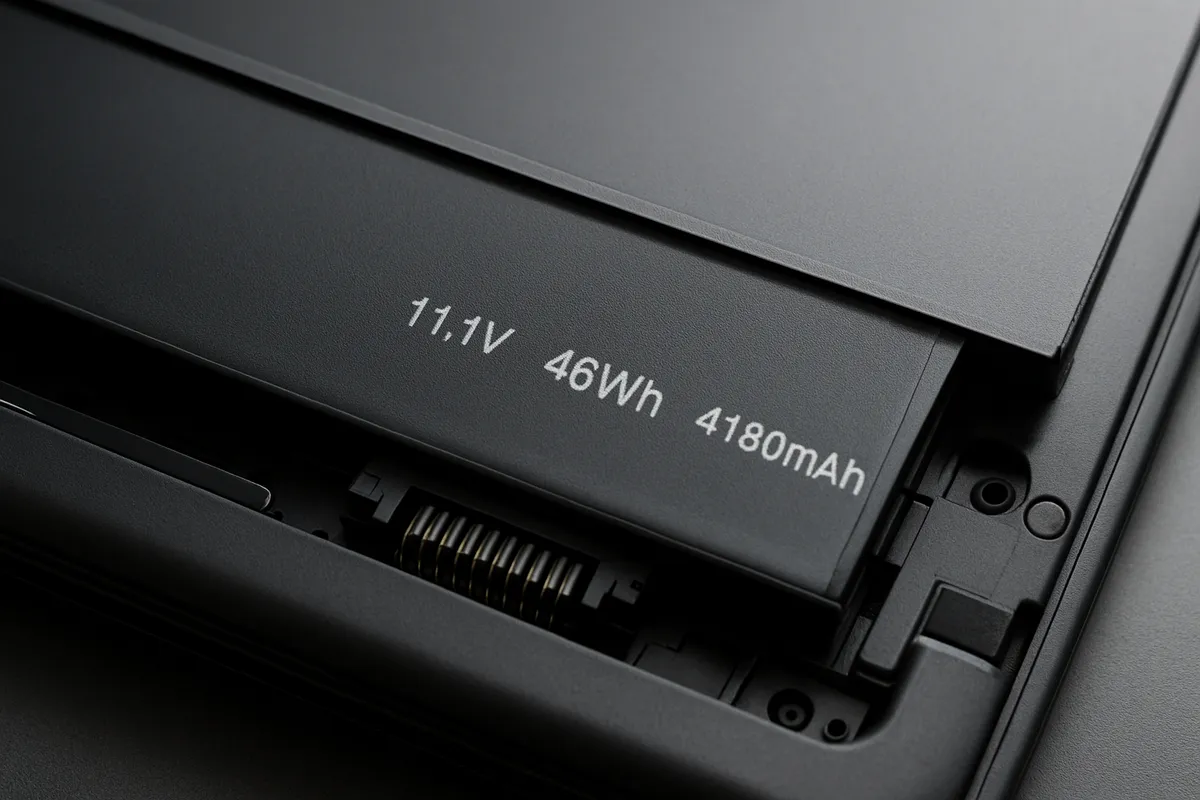
People's intuitions about "large capacity" vary widely, but a practical threshold for general use is 20,000mAh and above. Around 10,000mAh sits in the category of daily backup power; once you cross 20,000mAh, travel, business trips, multi-device charging, and even laptop support come into play. Here's the critical point: don't compare by mAh alone. Mobile batteries typically display capacity at their internal cell voltage; when they deliver power to your phone or laptop, conversion happens, so you'll actually use roughly 65–70% of the rated mAh—a crucial reality check.
For example, 20,100mAh converts to about 72.36Wh, and 26,800mAh to about 96.48Wh. This guide uses the calculation mAh × 3.6V ÷ 1000 = Wh (treating internal cell voltage as 3.6V). Some sources use 3.7V instead, so when you compare units, always check which voltage standard was used—it affects the final number.
For smartphone-only scenarios, 20,000mAh-class is where "large capacity" starts to make real sense. Applying the 65–70% effective-capacity rule, a 20,100mAh unit delivers roughly 13,065–14,070mAh in practice—enough for approximately 3.7–4.0 full charges of a 3,500mAh smartphone. If you're an iPhone or Galaxy user charging multiple times during a day trip, this is the entry point.
For travel and business trips, the 20,000mAh-class strikes the best balance. You can cover a smartphone plus earbuds, a smartwatch, and even a small tablet like an iPad mini, handling 1–2 nights comfortably. I often use this category on trips, and while it easily covers a phone-centric day, adding a laptop quickly eats into the surplus.
Once laptop support enters the picture, the threshold rises to 25,000–27,000mAh-class—but here, wattage matters more than capacity. A MacBook Air or ThinkPad X1 Carbon can work with 45W in some situations, but 65W is far more practical. A MacBook Pro 14-inch with heavier power draw requires 100W design thinking; otherwise, you're looking at "it charges, barely" rather than "you can work while it charges."
Fly frequently? You'll notice 26,000–26,800mAh-class is ubiquitous—and there's a reason. The standard cabin baggage limit is typically 100Wh, and this capacity sits right near that ceiling. I habitually double-check the Wh label every time I board a domestic flight with a 26,800mAh unit, even though I know it's 96.48Wh. The psychological ease of knowing you're under the limit is worth the habit.
Mini-Glossary: Clearing Up Confusing Terms
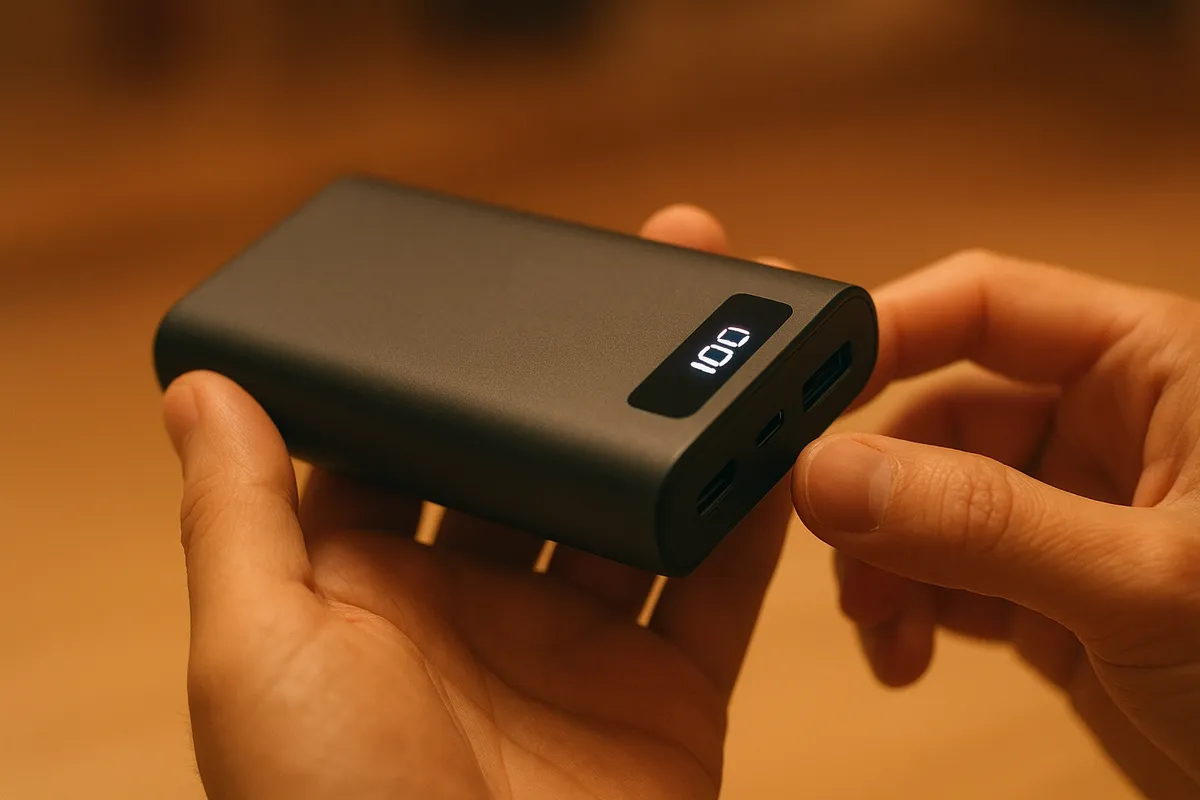
A few overlapping concepts trip people up when reading specs. Mastering these four unlocks most datasheets:
| Term | Meaning | Reading Tips |
|---|---|---|
| mAh | Charge quantity | Easy to grasp size, but doesn't translate directly to real-world usage |
| Wh | Energy content | Better for cross-product comparison; critical for airline baggage rules |
| W | Output power | 20W targets phones; 45W+ begins to handle light laptops; 100W supports serious PC work |
| USB PD | USB-C high-power delivery standard | The backbone of modern multi-device charging, from phones to laptops |
As Sanwa Supply's USB PD guide and Logitec's overview clarify, USB BC 1.2 maxes out at 7.5W, whereas USB PD scales from a traditional 100W limit (and PD 3.1 pushes to 240W theoretically). For real-world mobile battery selection, checking 100W capacity is usually enough.
ℹ️ Note
Stuck on specs? Start with Wh to gauge size, then W to separate smartphone from laptop use. This two-step approach eliminates most confusion.
Capacity Range, Weight, and Price Trade-Offs
More capacity always means more weight and higher cost—simple, but directly tied to everyday usability. As price.com's guide notes, even 10,000mAh units vary wildly (under 200g to nearly 500g), so at 20,000mAh and above, that spread grows even wider. "The numbers are bigger than you think they'll feel in your bag" is the honest truth.
20,000mAh-class remains the sweet spot for travel and business trips: capacity enough to be reassuring, but size and weight still livable. 25,000–27,000mAh-class, though, crosses a threshold—plenty of overkill for phone-only use, but essential if laptops enter the picture. And here, the sensation shifts from "a tool I carry" to "portable power infrastructure."
High-output models cost even more because raw cell count isn't the only expense: circuit design, thermal management, robust connectors, and testing all inflate the bill. As My Best's comparison showed, real-world max outputs hit 96–98W on some units, and that level of stable delivery is engineered, not cheap. Recharge time also stretches, so input wattage becomes a real usability factor.
Bottom line: capacity = broader use cases AND heavier load. Weigh portability against versatility—that's where your choice lives.
Mistake-Proof Selection #1: Measure by Effective Capacity, Not Just the Label
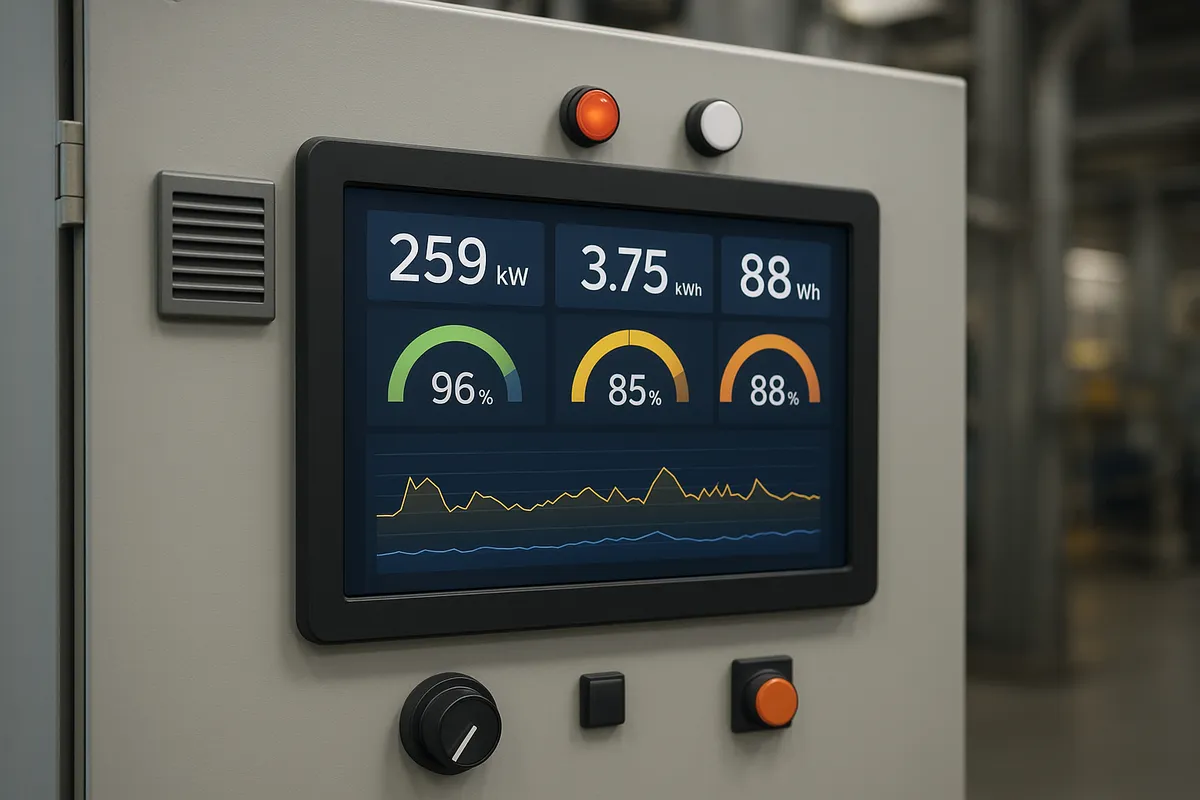
The rated mAh reflects internal cell voltage. Once your phone draws power, voltage conversion eats efficiency. Realistically, expect only about 65–70% of the advertised figure to actually reach your devices. Why? Converting from ~3.7V internal cells to 5V USB output yields roughly 74% at best; toss in conversion losses, heat effects, and cell variation, and you're left with something more conservative.
This mental math makes 10,000mAh look like 6,500–7,000mAh in practice, and it's why I've never been caught off-guard by a drained battery that "should have worked." Yes, I've shown up somewhere confident a 10,000mAh unit would top up my phone for days, only to find I was doing math wrong.
Quick Formula and a Rough Lookup Table
Decide first how many full charges you need, then reverse-engineer capacity:
Required mAh ≈ (Target device mAh × desired charge cycles) ÷ 0.65–0.7
Say you want two complete recharges of a 4,500mAh phone. You'd need 9,000mAh worth of actual energy, but accounting for losses: 9,000 ÷ 0.7 ≈ 12,900mAh, or 9,000 ÷ 0.65 ≈ 13,850mAh. Translation: aim for 20,000mAh-class. A 15,000mAh unit might technically work, but factoring in en-route top-ups, partial uses, and margin, 20,000mAh-class stays real-world practical.
Quick mental rules: 10,000mAh = solid single-phone backup; 20,000mAh = multiple charges plus accessories. Think in "number of full phone charges" rather than chasing the biggest digit.
ℹ️ Note
Stuck on capacity? Pick your target charge count, divide by 0.65–0.7, and pick conservatively. I always use 0.65 when I want breathing room.
Smartphone, Tablet, Laptop: Sample Energy Needs
Phones are the simplest math. A 4,500mAh Android device needing one full recharge requires about 6,400–6,900mAh in practice. 10,000mAh-class works but doesn't leave much fat; heavy video or hotspot use will squeeze it. For two cycles, we're back at 12,900–13,850mAh—enter the 20,000mAh-class zone. Galaxy flagships or high-end Xperia units (4,500–5,000mAh) feel the gap fastest.
Tablets shift the math dramatically. One smartphone cycle plus earbuds and a smartwatch will make 10,000mAh feel tight. That's why 20,000mAh-class became the travel standard: it handles not just your main device but also the fringe players. I've learned the hard way that stacking peripheral devices compounds the need faster than you'd expect.
Laptops deserve their own paragraph. Don't use mAh alone for laptops—output wattage is equally critical. A MacBook Air or ThinkPad X1 Carbon can technically work with 45W in some light-load scenarios, but 65W is the practical baseline. MacBook Pro 14-inch or similar power-hungry machines need 100W thinking, or you're just slowing the drain, not reversing it. In other words, large capacity alone ≠ laptop-ready. You need both large capacity AND high wattage.
Why Effective Capacity Varies
Voltage conversion is the primary culprit. Stepping from 3.7V (internal) to 5V (USB) inherently loses ~26%, and that's before circuit efficiency and temperature effects kick in. Numbers bear this out: real-world efficiency on 20,000mAh units ranges from 73% to 84%—a wider swing than you'd hope. Good designs lean toward 80%+, but don't bank on that during purchase planning. Assume 65–70%, and be pleasantly surprised if reality is kinder.
Temperature and cell health matter too. Cold weather reduces available current; high heat drops efficiency. Lithium-ion batteries tolerate neither, so where you store and how you treat the unit affect actual performance. Smart capacity planning means assuming worst-case and gaining margin when things go well, not the reverse.
Mistake-Proof Selection #2: Understand 20W, 45W, 65W, and 100W
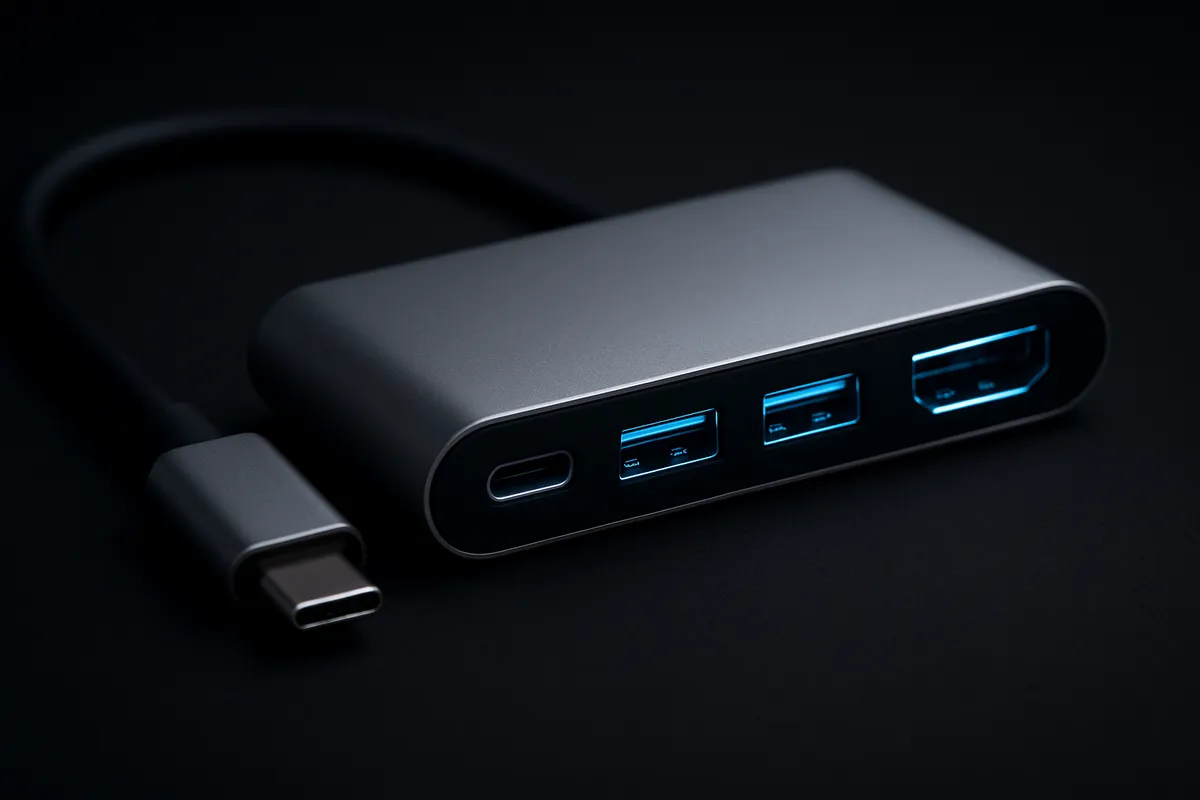
Output-Tier Comparison by Use Case
Output wattage determines not just speed but what's actually possible to charge. Per Sanwa Supply's USB PD explainer, USB PD evolved from the 7.5W ceiling of USB BC 1.2 to a standard 100W (and 240W in PD 3.1), reshaping what "fast charging" means. Confusing 20W with 100W is like confusing a trickle with a fire hose.
20W-class still works fine for smartphones. iPhone and Galaxy users doing daytime top-ups, plus occasional earbuds or smartwatch, stay comfortable here. Once iPad Air or a lightweight laptop enters the picture, 20W feels insufficient; 45W becomes realistic. Speaking from experience, a café writing session on a MacBook Air sometimes works at 45W, but opening a video call while charging shifts the balance—65W feels noticeably steadier. 100W-class is for heavy laptop users or those wanting short-charging runs. And when you daisy-chain devices (laptop + phone, say), power splits among ports, so rated maximums don't apply individually.
| Output Tier | Main Use | Example Devices | Laptop Charging Realism | Caveats |
|---|---|---|---|---|
| 20W | Phone top-ups | iPhone, Galaxy, Xperia, wireless earbuds | Unrealistic | Breaks down fast if you add a tablet or PC |
| 45W | Phone + light tablet, some mobile laptops | iPad Air, iPad mini, MacBook Air, ThinkPad X1 Carbon | Workable for some scenarios | Splits across ports; margins vanish under multi-device draw |
| 65W | General-purpose laptop support | MacBook Air, ThinkPad X1 Carbon, 14" laptops (light duty) | Becomes practical | ケーブル is your second variable |
| 100W | Serious laptop work, high-power recovery | MacBook Pro 14" and heftier machines | Strong option | Weight penalty; multi-port power-sharing math gets complex |
The levels represent boundaries in what's feasible, not incremental refinements. Picking 20W for a phone is wise; stretching it to a laptop is where selection fails.
Laptops: Reverse-Engineer from the Charger
Quickest way to pick the right wattage: check the laptop's own power adapter. MacBook Air tends to ship with 45–65W; standard mobile laptops cluster there. MacBook Pro 14-inch needs 100W or it's merely "charging slowly under load." This simple principle eliminates half the guesswork.
Crucially, there's a spectrum between "it charges," "it doesn't drain while you work," and "it actually recovers." A 65W battery won't fully satisfy a MacBook Pro 14-inch under video export—you'll see the percentage creep up slowly, if at all. Always anchor to the device's native power footprint, then buy a battery at or above that tier.
From my commute experience: 45W feels perpetually anxious on a train. 65W brings genuine peace of mind with a mobile workstation. 100W is overkill for an Air but transformative if you're running Pros. Match your laptop's charger spec, and everything clarifies.
The Cable Bottleneck
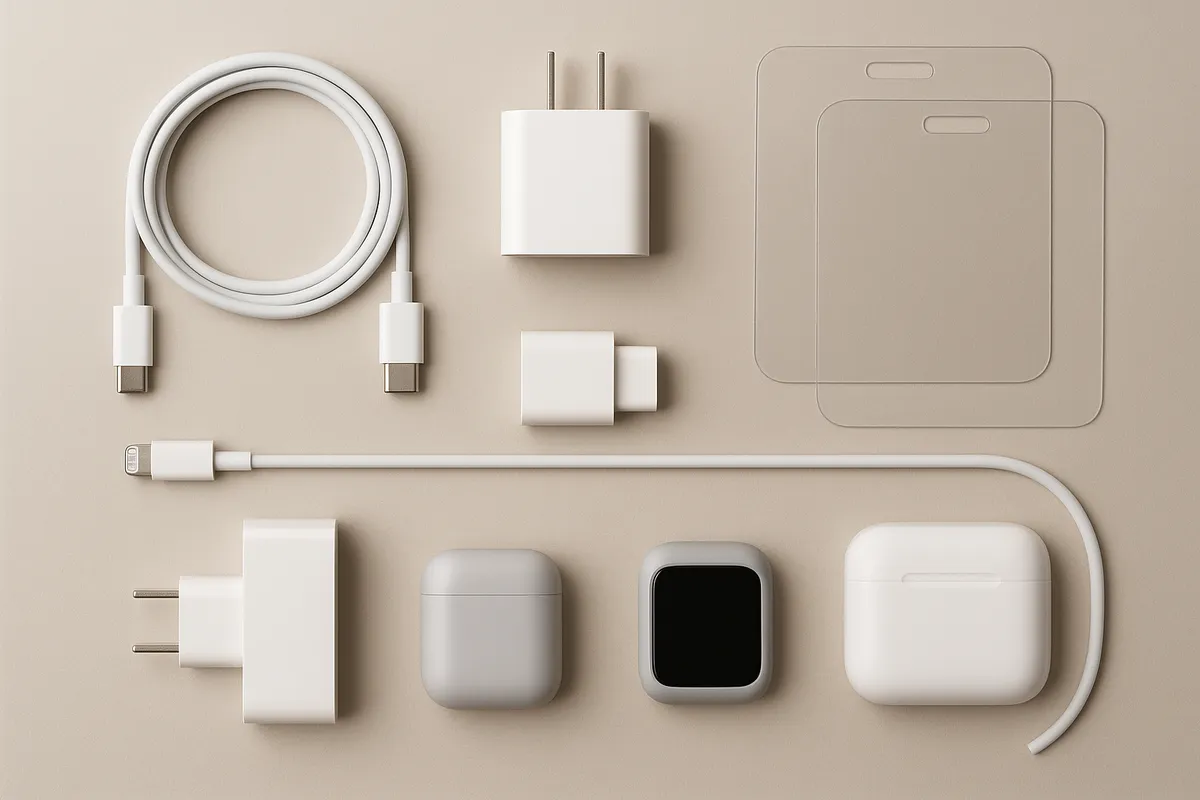
Here's what trips people up: the cable is half the story. A 65W battery and a flimsy USB-C lead don't add up to 65W delivery; they cap out at what the cable can pass. I once thought my battery was underperforming until I checked: a 3A-rated cable was the culprit. High-wattage use demands 5A USB-C cables, often with E-Marker chips. For 100W scenarios, that's non-negotiable.
Multi-port units further complicate matters. One port might deliver max power; another is designated for phones. The manual, not the box front, holds the truth. Real-world tests show some units hitting 96–98W on the right port with the right cable—and dropping to 20–30W on the wrong combination. At 65W and above, think "battery + port + cable" as one system.
Mistake-Proof Selection #3: Weight Kills Convenience Faster Than You Think
Weight Guidelines and the "Portability Threshold"
Capacity scales linearly with mass. As price.com notes, even a 10,000mAh unit can be 200g or 500g depending on the model—a massive variance. At 20,000mAh, the spread only widens.
I've slung a battery in a shoulder bag every day. A 100g difference between models feels negligible in the morning; by evening, it's annoyingly pronounced. Stacked with a laptop, charger, and water bottle, that "tiny" extra becomes noticeable.
Sweet spot: 200g or under feels portable for daily carry. Pop it in a jacket pocket or slim crossbody, and you won't regret it. Beyond 400g, it becomes a "bagged gear" item, not a light-touch utility. High-capacity and high-wattage models tend to cross that line.
ℹ️ Note
Day-to-day carry = prioritize lightness. Trip or workstation = accept weight to gain capacity and output. Reframe the trade-off in those terms, and clarity emerges.
Shape, Texture, and the Carry Experience

Raw weight doesn't tell the full story. A sleek, tall unit slides into pockets; a squat, thick rectangle owns a shelf but bulges awkwardly in a bag. Smooth plastic slides in and out; textured finishes grip better but catch on fabric. Real-world usability lives in these tactile details, not the datasheet.
Stacking a battery with a phone? Slim and tall wins. Laptop-focused, multi-port boxes? More stable on a desk, less forgiving in a backpack. Textured rubber grips better when your hands are wet; matte finishes slide easier through tight jacket pockets. These micro-differences compound daily.
Capacity vs. Weight: The Real Trade-Off
You can't have 26,800mAh weightlessness. That's the hard truth. Pocket-carry-friendly = 10,000mAh-class, accept lighter recharge coverage. Conversely, bag-carry-acceptable = 20,000mAh+ and high-wattage, embrace the infrastructure role. Most of my day-to-day use is with a light 10,000mAh model; the big guns emerge only for trips. Reframing in terms of "what am I actually carrying today" rather than "which is objectively best" cuts through the paralysis.
Mistake-Proof Selection #4: Input Wattage and Recharge Time Matter Too
How Fast Can the Battery Itself Recharge?
Overlooked factor: **how many watts can the battery accept from a wall charger?** Capacity soars but so does recharge burden. A 26,000+ mAh unit drained at a cafe takes forever to recover unless its input wattage is equally generous.
Rough estimate: Wh ÷ input W ÷ 0.8 ≈ hours to full charge. A 96.48Wh battery at 45W input takes roughly 96.48 ÷ 45 ÷ 0.8 = 2.7 hours. That's a ballpark; real charge curves flatten near 100%, so budget a bit more. The gap between high output and low input is a recipe for daily frustration. A 100W battery that only accepts 20W input is a cruel joke on a business trip.
Therefore: higher-wattage batteries should pair with proportional input specs.
Input Standards and Compatibility
Input wattage hides behind acronyms. USB PD? PPS? Proprietary fast-charge curve? **What protocol does this battery accept?** If your wall charger isn't fluent in that standard, you'll backfill with a weaker compatible mode. Example: a battery rated 100W input might only pull 45W from a generic USB-C wall brick.
ケーブル specifications multiply the confusion. A USB-C lead labeled "high-power" might only handle 60W; one marked 5A and E-Marker–equipped handles the full load. Mismatch the cable, and you'll watch the battery charge slower than you expect, not realizing the 100W spec requires specific wiring.
Honest assessment: check that input standard, the wall charger you'll pair it with, and confirm ケーブル compliance. Brands like Anker and UGREEN document this well; smaller vendors often gloss over it—a red flag.
ℹ️ Note
Serious about fast recharge? Pair a high-input battery with a matching 100W wall adapter. The battery alone isn't enough; infrastructure matters.
Real-World Win of 100W Input
The payoff is concrete: a one-hour evening top-up actually tops up. I've stayed in hotels, hooked a 96Wh battery to 100W input for just an hour, and felt confident the next morning. A 45W input over the same time? Visibly lagging. For MacBook Air + iPhone coverage, those percentage points matter.
Overnight? Sure, everything charges fully given time. But for short stays or quick desk stops, 100W input is the difference between "confident tomorrow" and "nervously hoping."
Mistake-Proof Selection #5: Safety Starts with PSE, Ends with Your Good Judgment
PSE Mark: Your First Checkpoint
In Japan, the PSE (Product Safety Electrical Appliance) mark is mandatory for battery products. It's not glamorous, but finding it (or not) on a spec sheet is a quick way to sift out sketchy no-name units. Big capacity and USB PD mean nothing if safety corners were cut.
The mark might be on the battery body (back or side), on an included adapter, or inside the manual. I habitually flip a new unit over to find the label before checking capacity. Tidy documentation here usually correlates with comprehensive support and warranty info elsewhere.
Red flag: slick marketing for a suspiciously cheap unit, but vague or missing safety info. Check company details, return policy, and support email.
Protective Circuits: A Sign of Care
Look for a spec line listing overcurrent protection, overvoltage protection, over-discharge protection, short-circuit protection, and thermal management. Not just marketing buzzwords—these reveal design maturity. Overcurrent saves you if a device demands more than expected. Overvoltage keeps your battery safe during recharge. Over-discharge avoids stressing cells. Short-circuit protection is critical for cables gone wrong. Thermal management prevents runaway heat.
Products boasting all five tend to be made by teams that sweated the details. Those listing only "fast charge" and "large capacity" cut corners.
I left a battery in a hot car once and felt it radiating heat. Thermal protection saved me from a real problem. Respect the device's limits anyway—protection is a backstop, not a license to abuse. Store it cool, avoid drops, keep it dry.
ℹ️ Note
Look past the marketing headline. The boring protection-circuit list is where you spot a company that gave a damn.
UL 2056: A Supporting Safety Standard
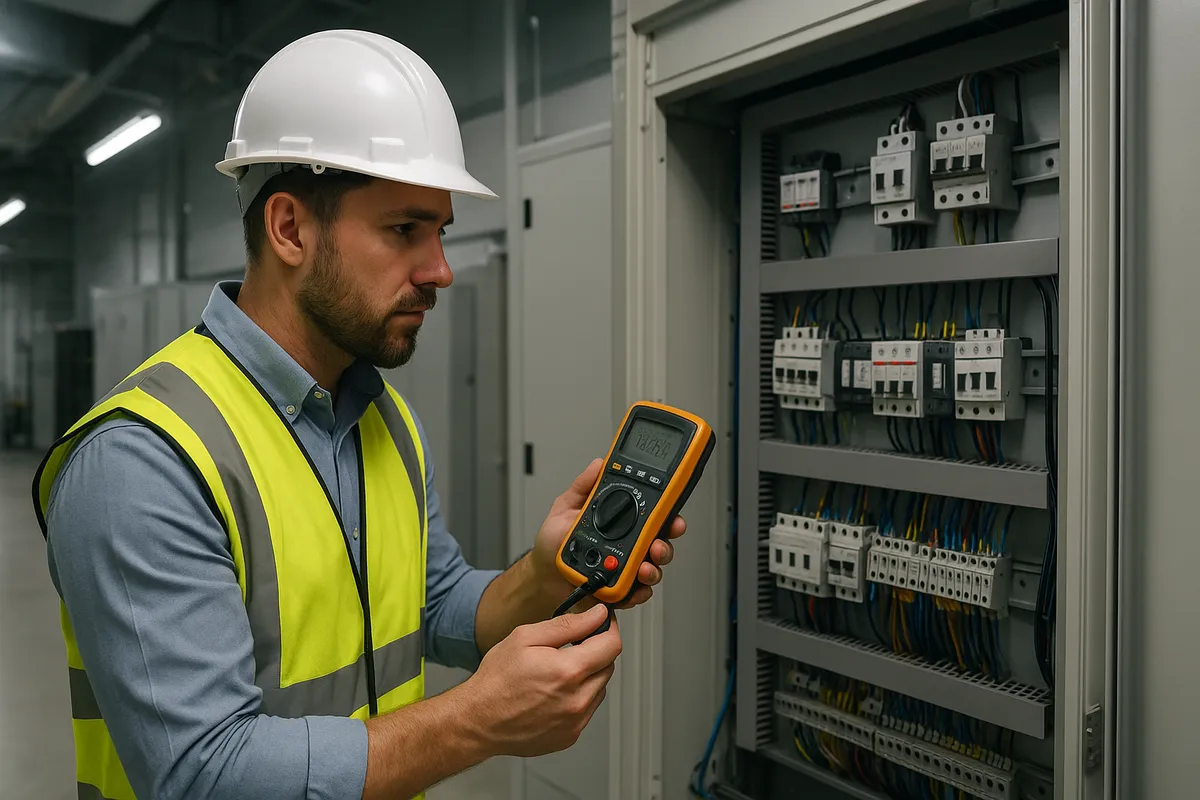
Internationally, UL 2056 is a common safety benchmark for portable batteries and power banks. It addresses overcurrent, overvoltage, short-circuit, and thermal safety. While not required in Japan, its mention on a spec sheet suggests the maker tested against rigorous external standards.
Think of it as a secondary signal, not a primary gatekeeper. PSE = Japan's legal baseline; UL 2056 = international confidence extra. Global brands (Anker, UGREEN, etc.) often cite both, strengthening the trust signal. Smaller vendors might skip it; isn't disqualifying, but adds weight to a "comprehensive design" narrative.
Safety is hard to compare visually. PSE presence, protective-circuit lists, UL mentions, support contact clarity—these signals stacked together point to a maker that cares.
Use-Case Selection Guide
Success hinges on what you prioritize first: size, output, price, capacity, or safety? That order shifts by scenario. Numbers also follow patterns—price climbs with capacity and wattage, so leaning hard on one axis will feel the cost elsewhere. Reframe each use case, lock in your priorities, and the rest simplifies.
Commute / Daily Carry
Priority order: weight → capacity → price → safety → output.
Every-day-in-the-bag scenarios demand lightness first. Smartphone-only users thrive on 10,000mAh / 20W, staying slim and unobtrusive. 10,000mAh effective capacity (roughly 6,500–7,000mAh real) covers a phone extension without the guilt. 20W is plenty for a phone and light accessories.
Upside: slips into jacket pockets or small bags; commute feels unburdened.
Downside: add an iPad mini or a quick MacBook Air charge, and surplus evaporates fast.
Advice: stick to 10,000–15,000mAh, 20W output if you're phone-centric. Add 45W only if you're regularly Zooming on a train or opening a laptop. Resist overspeccing "just in case"—daily weight penalties are real.
Travel and Business Trips

Priority order: capacity → output → safety → weight → price.
Multi-device coverage and PC support become realistic. A 20,000mAh / 45W unit comfortably handles smartphones and light tablets. A 25,000–27,000mAh / 65W unit enters MacBook Air / ThinkPad X1 Carbon territory. The step up in capacity and wattage is both meaningful and visible.
Upside: airplane-friendly capacity (near but not exceeding 100Wh); real phone + laptop safety.
Downside: "bagged gear" now, not pocket-friendly. Price climbs noticeably. Recharge times lengthen unless input wattage is high.
Advice: phone-only trips = 20,000mAh-class. PC involved = 25,000–27,000mAh / 65W. Resist 100W unless you're laptop-heavy; cost and weight won't justify it for mixed use.
Emergency / Disaster Preparedness
Priority order: safety → capacity → price → weight → output.
Not a daily carry, so weight is forgivable. The focus shifts to reliability and real-world phone survival. A 20,000mAh unit provides ~3.7–4 full phone charges at effective-capacity estimates, which is meaningful if you need communication post-disaster.
Upside: clear, straightforward use case (phone calls, texts, alerts); no overkill complexity.
Downside: don't oversell into a 100W PC-charging setup; cost explodes without commensurate value.
Advice: 20,000mAh-class from a reputable brand (Anker, UGREEN). Verify PSE, note the Wh rating, stash it somewhere cool and dry, and check it every few months.
Notebook/Laptop Work Abroad

Priority order: output → capacity → weight → safety → price.
Here, wattage is king. A MacBook Air is doable at 45W (with occasional patience); comfort starts at 65W. A MacBook Pro 14-inch demands 100W thinking, or you're babysitting the percentage bar. Capacity matters less than the ability to stay powered through a work session.
Upside: external work sessions become longer and less anxious; Cafe + MacBook setup gains serious legs.
Downside: weight and cost. High-output means sophisticated internals (price), and capacity needed for real runtime adds mass (100W units are heavier).
Advice: MacBook Air / light workstation = 65W is your baseline. Heavier laptops or serious session time = 100W-class. Pair it with a 100W wall adapter; the battery alone isn't enough. Expect to budget accordingly.
Key insight: reframe by "what's my laptop," not "how many mAh." Your charger's wattage is a proxy; match it, and the battery choice clarifies.
Large-Capacity Battery Caveats
Cabin Baggage and the Wh Reality Check
Big-capacity models hide a gotcha: Wh values, not mAh, govern airplane rules. The 100Wh threshold for carry-on is standard practice. A 26,800mAh unit = 96.48Wh, staying under the limit—but just. A 26,250mAh unit = 99.75Wh; still compliant, but breathing-room vanishes.
That's why 26,000–26,800mAh-class crowds the market. It's the "largest you can take aboard" sweet spot, not arbitrary. I habitually verify the Wh sticker every flight; knowing you're 96Wh and not 105Wh is peace of mind, and airlines vary slightly in enforcement.
Verify the exact Wh value, not just the mAh. Check your airline's rules; always dial the number before boarding if you're uncertain.
Cable Quality Directly Affects Your Speed
Real talk: a 100W battery on a 60W ケーブル delivers 60W, period. I owned this lesson the hard way. High-wattage tiers demand 5A USB-C ケーブル, often with E-Marker certification. The battery's power means nothing if the link in the chain can't handle it.
At 65W+, treat ケーブル as part of the system, not an afterthought. A short, certified lead beats a long generic one every single time. MacBook Pro users especially: verify your ケーブル before blaming the battery for slow recovery.
Storage, Inspection, and Handling Fundamentals
A fresh battery and a battery left in a drawer for three months are different animals. Self-discharge happens; I've unpacked a "charged" backup only to find it half-depleted. Large-capacity units don't defy physics.
Store in a cool, dry place (40–60% charge is the sweet spot). Avoid car trunks, sunny windowsills, and shelves prone to tumbles. Check it every few months if it's emergency gear. Heat and impacts are battery enemies; protection circuits are backstops, not pardons.
Treat it like the technology it is, and it'll serve you well.
Summary: Which Model Fits You?
20,000mAh-class is the traveler's goldilocks: light enough for a long weekend, capacious enough to silence anxiety. 25,000–27,000mAh-class is the "I bring a laptop and want headroom" answer. 100W-class is for people writing code in coffee shops and needing real, sustained power. Conversely, if you're rarely away from outlets and phones are all you charge, 10,000mAh-class won't disappoint—and will feel refreshingly weightless.
I used to chase specs. Now I ask: "What's the max wattage I'll demand?" Everything else cascades from there.
Right Now: Your Accountability Check

- Open your phone's battery settings. Note the mAh or Wh.
- Find your laptop charger. Write down the wattage.
- Decide your trip length and device mix.
- Reverse-engineer the capacity (using the 65–70% rule).
- Cross-reference output wattage (20W, 45W, 65W, or 100W).
- Verify the weight you can live with.
- Confirm PSE, input wattage, and ケーブル spec.
That's your decision tree. Stick to it, and second-guessing evaporates.
Appendix: New Terminology Discovered During Translation
Below are specialized or domain-specific terms newly identified in this article for potential future glossary updates:
| Japanese | English | Context |
|---|---|---|
| 実効容量 | Effective capacity | The actual usable mAh after losses; ~65–70% of rated |
| 内部セル電圧 | Internal cell voltage | Usually ~3.7V; converted to 5V USB output |
| 昇圧 | Step-up conversion | Process of boosting voltage from internal cells to USB output |
| 複数ポート同時給電 | Multi-port simultaneous delivery | Supplying power to multiple devices at once; reduces per-port wattage |
| 自己放電 | Self-discharge | Natural capacity loss over time, even when unused |
| モバイルワークステーション | Mobile workstation | Lightweight laptop designed for portable professional work (e.g., MacBook Air, ThinkPad X1 Carbon) |
関連記事
Webカメラの選び方|画質・マイク・ノイキャンの違い
Webカメラの選び方|画質・マイク・ノイキャンの違い
Webカメラ選びは、在宅会議では4Kかどうかよりも、まず低照度性能とセンサーサイズで差がつく。筆者が自宅で4K表記の小型センサー機とフルHDの大型センサー機を同じ照明条件で切り替えて使ったときも、カタログ上の解像度差より、明るさとノイズ感の逆転のほうがはっきり目立った。
スマートホームの始め方|1万円で音声操作
スマートホームの始め方|1万円で音声操作
スマートホーム入門は、エアコン・テレビ・シーリングライトのような赤外線リモコン家電を、買い替えずに音声で動かすための実用的な始め方である。スマートリモコンが赤外線信号を代わりに送り、スマートスピーカーが声を受け取るので、家電側は何も知らないまま動く。
ロボット掃除機の選び方|吸引力Paと水拭きの要否
ロボット掃除機の選び方|吸引力Paと水拭きの要否
ロボット掃除機は、2026年時点で吸引だけの機種よりも、吸引と水拭きを両立する2-in-1がエントリー帯でも標準になった家電である。毎年10台以上のスマートフォンを見比べてきた筆者がスペックシートに向き合うと、Paの数値だけが大きく目立ち、段差やブラシ構造の記載が小さいことにまず違和感を覚える。
Qi2は下位互換?QiとMagSafeの違いと15W/25W
Qi2は下位互換?QiとMagSafeの違いと15W/25W
Qi2は、WPCが2023年に策定したワイヤレス充電の業界標準で、MagSafeのマグネット位置合わせ技術を取り込んだ規格です。MagSafeがApple独自でiOS専用なのに対し、Qi2はiOSとAndroidの両方で使えるようになり、まず「Qi2は下位互換か」という疑問にはYesと答えられます。